ClipMake vs Video to Text
Side-by-side comparison to help you choose the right AI tool.

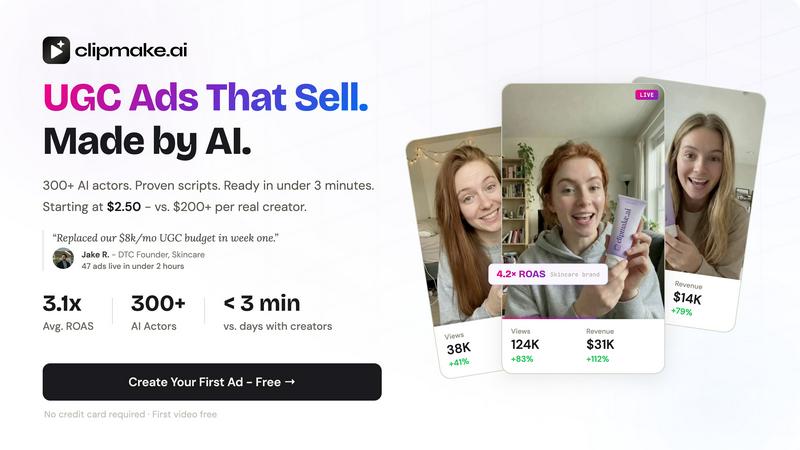
AI UGC video generator with 300+ AI actors. Create hyper-realistic video ads for Meta, TikTok, and YouTube in under 3 minutes. From $2.50/video.

Video to Text
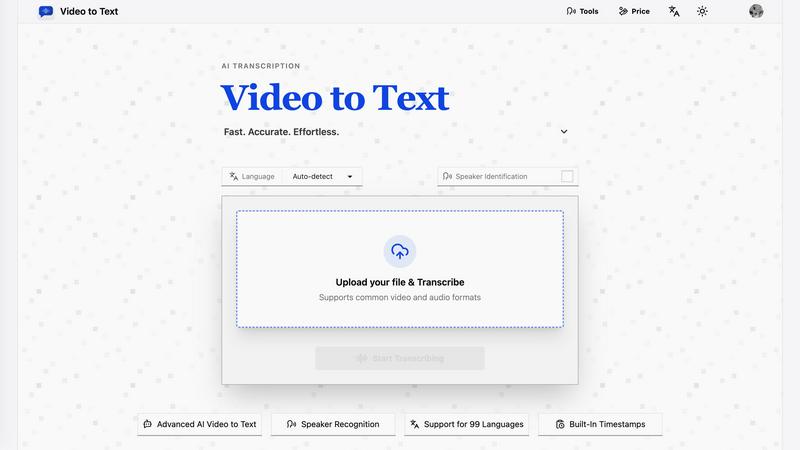
Turn any video or audio into clean text in minutes.
Visual Comparison
ClipMake
Video to Text
Overview
About ClipMake
ClipMake generates UGC-style video ads using AI actors - no creators, no shoots, no editing. Built for e-commerce brands and performance marketers who need high-volume ad creative.
Pick from 300+ AI actors, input your product details, and get a finished video ad with natural voiceover, product visuals, and proven ad structures.
How it works:
- Pick an AI actor from the library or create a custom avatar.
- Generate hooks and scripts based on high-performing ad formats across Meta and TikTok.
- Select a scene template: unboxing, testimonial, tutorial, lifestyle, before/after, and more.
- Get your video in under 3 minutes. Download and publish.
Key capabilities:
- AI actors with natural lip sync, facial expressions, and body language
- Voice-matched dubbing in 20+ languages - preserves each actor's natural voice, not robotic TTS
- Product placement: upload a product image and the AI actor holds or interacts with it in the scene
- Script generation based on high-performing DTC and e-commerce ad structures
- 20+ scene templates for different ad formats
- Batch generation: create dozens of variations in one session to test hooks, actors, and scripts
- Pro Realism + VocalMatch mode for ultra-realistic rendering with precise lip sync
About Video to Text
video to text is an ai-powered transcription service that converts video and audio files into clean, exportable text. the product is designed for creators, teams, and individuals who need fast, accurate speech-to-text conversion without setting up their own transcription pipeline.
the app combines a simple upload flow with automated processing, speaker-aware transcription, and flexible export options. users can upload media, wait for the transcription to finish, and then download the result in the format that best fits their workflow.