CIOOffice: the CIO-Software vs Tickari
Side-by-side comparison to help you choose the right AI tool.

CIOOffice: the CIO-Software
CIOOffice revolutionizes IT management for CIOs, streamlining strategy, budgets, and vendor relations in one powerful.
Last updated: February 28, 2026

The no-nonsense task manager that actually helps you get things done. No clutter. No complexity. Just you and your tasks.
Visual Comparison
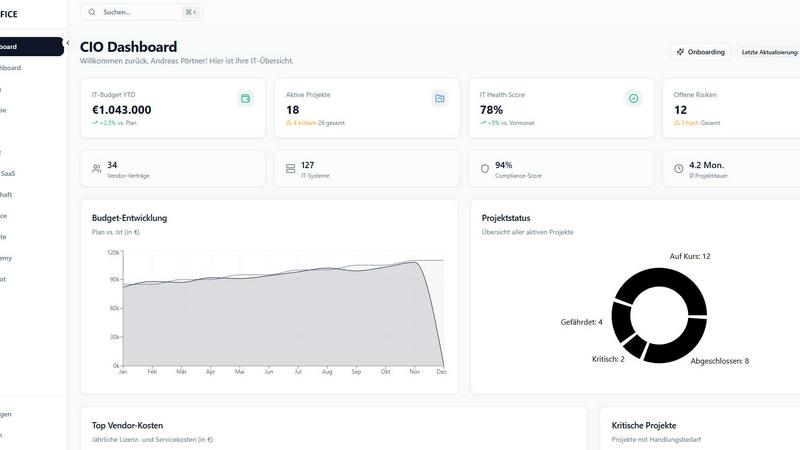
CIOOffice: the CIO-Software
Tickari

Overview
About CIOOffice: the CIO-Software
CIOOffice is the ultimate game-changer for CIOs, IT managers, and digital trailblazers in enterprises and mid-sized companies. This cutting-edge, cloud-based platform redefines IT management by bringing together essential functions like IT strategy management, project portfolio oversight, budget control, vendor management, and performance analytics into one sleek, intuitive interface. Imagine having the power to elevate transparency across your IT operations, streamline processes, and make savvy decisions backed by real-time insights. With CIOOffice, you can accelerate your digital transformation journey by standardizing governance practices and nurturing collaboration between IT and business teams. Plus, it adheres rigorously to security standards and GDPR compliance, ensuring peace of mind. In a nutshell, CIOOffice is your go-to toolkit for modernizing IT management, boosting efficiency, and fueling business growth.
About Tickari
Tickari is a deliberately minimal, no-nonsense task manager designed for people who are tired of overcomplicated productivity tools and just want to get things done. Instead of overwhelming you with features like complex boards, AI-generated suggestions, or endless customization, Tickari focuses on a simple, frictionless workflow: write a task, tick it off, and move on.
The product embraces a “less but better” philosophy—eliminating clutter, reducing cognitive overhead, and removing the need for onboarding tutorials or setup processes. There are no distractions, no unnecessary decisions, and no feature bloat—just a clean interface that works instantly the moment you open it. This makes it particularly effective for users who feel stuck organizing tasks instead of actually completing them.