BWConverter vs RemoveTexts
Side-by-side comparison to help you choose the right AI tool.

BWConverter
Transform your images into striking black and white art with BWConverter's fast, private, and professional online tool.
Last updated: February 26, 2026

RemoveTexts
RemoveTexts lets you zap unwanted text from images in seconds with a simple brush, delivering flawless results without any design skills needed.
Last updated: March 11, 2026
Visual Comparison
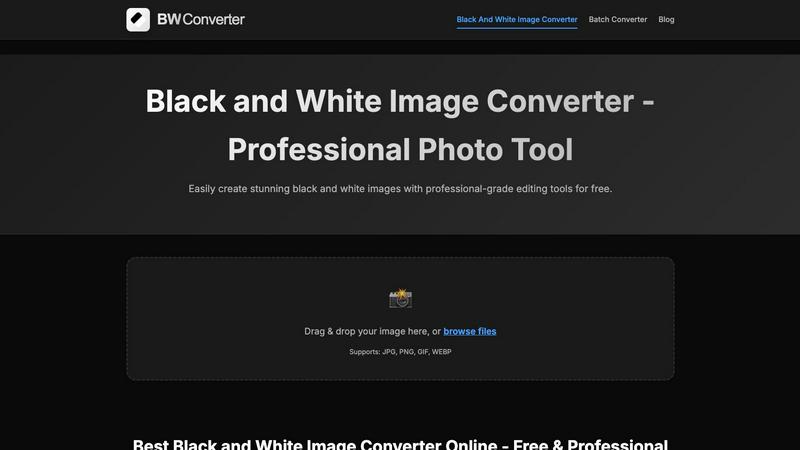
BWConverter
RemoveTexts

Feature Comparison
BWConverter
Channel Mixing
Channel Mixing is where the magic happens. Instead of just desaturating your colors, BWConverter lets you control how Red, Green, and Blue channels translate to greyscale values. This means you can darken skies, brighten skin tones, or give your images that edgy vibe that sets them apart.
Smart Presets
Kickstart your editing process with BWConverter's Smart Presets. With one click, you can apply styles like "High Contrast," "Matte," and "Classic Film" to your images. These presets are designed to reflect professional darkroom aesthetics, helping you achieve that perfect look without extensive tweaking.
Batch Conversion
Got a whole folder of images to convert? No problem! BWConverter’s Batch Converter allows you to process multiple photos simultaneously. Drag and drop an entire batch, apply your chosen presets, and watch as your images transform into cohesive monochrome masterpieces in no time.
Client-Side Processing
Forget about waiting for uploads and downloads—BWConverter processes everything right in your browser using WebAssembly technology. This means your images are handled by your device's CPU/GPU, ensuring maximum speed and privacy. No data leaves your device, giving you total peace of mind.
RemoveTexts
Paint to Remove
This feature empowers you with precision control. Simply brush over the specific areas of text you want to eliminate, and let the AI do the heavy lifting. It’s perfect for targeting specific words or phrases without affecting the surrounding elements, giving you complete creative freedom.
Auto Remove All
Why waste time on manual editing? With Auto Remove All, the AI automatically detects and removes every text element in your image. Whether it's a pesky watermark or an unwanted caption, this feature clears the slate in one click, saving you precious time and effort.
Edit & Replace Text
Want to change the text but keep the vibe? This feature allows you to replace existing text with new content while matching the original style. It’s ideal for those looking to customize their visuals without losing the essence of the original design.
Remove Objects
Sometimes, unwanted objects can clutter your images. With the Remove Objects feature, you can effortlessly erase logos, people, or any visual elements that detract from your message. The AI fills in the gaps seamlessly, ensuring your image stays professional and polished.
Use Cases
BWConverter
Professional Photography
Photographers can take their portfolio to the next level by converting colorful shots into eye-catching black and white images. Whether it’s a dramatic portrait or a serene landscape, BWConverter helps create timeless pieces that resonate with viewers.
Graphic Design
Graphic designers often need to prepare logos and icons for various uses. BWConverter's specialized tools enable them to convert logos into pure black or white versions, making it easy to create watermarks or design elements that stand out against any background.
Social Media Content
For influencers and brands, creating engaging content is key. BWConverter allows users to quickly convert images for use on platforms like Instagram, where striking black and white visuals can increase engagement and give a unique, artistic flair to posts.
Marketing Campaigns
If you're managing a marketing campaign, BWConverter’s Batch Converter is a game changer. You can convert all your promotional images to black and white in one go, ensuring brand consistency while saving time and effort in the editing process.
RemoveTexts
E-commerce Enhancements
Online sellers can use RemoveTexts to clean up product images by removing distracting watermarks or text overlays. This makes listings more appealing and professional, ultimately driving sales and enhancing brand image.
Social Media Magic
Content creators can effortlessly remove unwanted text from their visuals for platforms like Instagram or TikTok. Whether it’s a meme caption or a date stamp, this tool ensures your posts look top-notch, maximizing engagement.
Legal Document Redaction
Legal professionals can utilize RemoveTexts for redacting sensitive information from images or documents. The AI ensures that no trace of the text remains, allowing for secure sharing of necessary visuals without compromising privacy.
Academic and Research Use
Students and researchers can leverage RemoveTexts to clean up images for presentations or papers. By removing distracting texts or watermarks, their visuals become clearer and more impactful, enhancing the overall quality of their work.
Overview
About BWConverter
BWConverter is the ultimate online tool for transforming your colorful images into stunning black and white works of art. Designed for photographers, graphic designers, and anyone with a creative spark, this free online converter takes the hassle out of image editing. With BWConverter, you can elevate your visuals with a timeless monochrome twist that captures attention and emotion. It doesn't just convert; it empowers you with professional-grade features that allow for fine-tuning of tones and contrasts. Whether you're converting breathtaking landscapes, striking portraits, or crisp logos, BWConverter ensures your monochrome images are anything but dull. Enjoy the freedom of processing images directly in your browser—no uploads mean maximum privacy and instant results. Supporting a variety of formats like JPG, PNG, GIF, and WEBP, BWConverter is your one-stop shop for all things black and white. Say goodbye to lackluster greyscale images and hello to a world of depth and character that only black and white can deliver.
About RemoveTexts
RemoveTexts is your ultimate sidekick for image editing, transforming the way you interact with visuals. Gone are the days of clunky software and tedious manual edits. This AI-powered tool lets you zap unwanted text, watermarks, and overlays from your images with just a flick of the brush. Whether you're a designer, marketer, or casual creator, RemoveTexts delivers clean, professional results in seconds. It’s as easy as uploading your image, painting over the text, and letting the magic happen. With advanced deep learning technology, it reconstructs backgrounds seamlessly, ensuring that the result looks pristine. Trusted by over 100,000 users globally, RemoveTexts is a game-changer for anyone who wants to keep their visuals sharp and clean, without breaking a sweat or learning complex software. Dive into a world of effortless editing and let your creativity shine without distractions.
Frequently Asked Questions
BWConverter FAQ
How do I convert an image to black and white?
Simply upload your image, choose a preset that fits your style, and hit download. BWConverter analyzes the color data, applying channel mixing for rich, nuanced black and white images in under a minute.
Can I convert logos with transparent backgrounds?
Absolutely! Use our Logo Converter, which supports PNG and SVG formats to preserve transparency while converting your logos into pure black or white.
Can I make multiple photos black and white at once?
Yes, you can! Head to the batch converter feature, drop in a full folder of images, and apply your desired preset to all of them simultaneously. It’s that easy!
How do I turn a picture black and white online?
Just drag your image into the browser-based editor, tweak the sliders to your liking, and hit export. No downloads or signups are required for seamless black and white conversion online with full control over your images.
RemoveTexts FAQ
How does RemoveTexts work?
RemoveTexts uses advanced AI and deep learning inpainting technology to intelligently analyze surrounding pixels. It reconstructs the background seamlessly after removing text, ensuring professional-grade results without any visible traces.
What image formats does RemoveTexts support?
You can upload images in JPG, PNG, and WebP formats, making it versatile for various use cases. Just ensure that your image is under 10 MB for optimal performance.
Can I remove watermarks from my images?
Yes, RemoveTexts is specifically designed to tackle watermarks, captions, and overlays. Just paint over the watermark, and the AI will take care of the rest, providing a clean finish.
Is there a limit to how many images I can process?
While there is no specified limit on the number of images you can process, each image must adhere to the size and format guidelines. Enjoy the freedom to clean as many images as you need without any hassle!
Alternatives
BWConverter Alternatives
BWConverter is a cutting-edge online tool designed to transform your colorful images into striking black and white works of art. As part of the image and photo category, it stands out with its privacy-first approach, making it a favorite among photographers and creatives alike. However, users often seek alternatives due to various reasons such as pricing limitations, the need for specific features, or compatibility with different platforms. When hunting for an alternative, consider what features matter most to you, like advanced editing controls, batch processing capabilities, or image format support. It’s essential to find a tool that not only meets your technical requirements but also fits your workflow seamlessly, ensuring a smooth and satisfying editing experience.
RemoveTexts Alternatives
RemoveTexts is an AI-powered image editing tool that specializes in erasing unwanted text from images without the need for complex software like Photoshop. Users upload their images and, with just a click, they can remove watermarks, subtitles, and other text overlays, all while maintaining the integrity of the original background. This tool falls under the category of image and photo editing, catering to creators, marketers, and designers who want fast, efficient results. People often seek alternatives to RemoveTexts due to various factors such as pricing, specific feature sets, or platform compatibility. Some users might require different editing capabilities or prefer a tool that aligns better with their workflow. When searching for an alternative, consider aspects like ease of use, output quality, supported languages, and the ability to edit or replace text, ensuring it meets your specific needs and enhances your creative process.