BlitzCut vs Mp4To
Side-by-side comparison to help you choose the right AI tool.

BlitzCut
BlitzCut turns your raw videos into viral-ready clips in minutes by auto-cutting silence and adding stylish captions.
Last updated: February 28, 2026

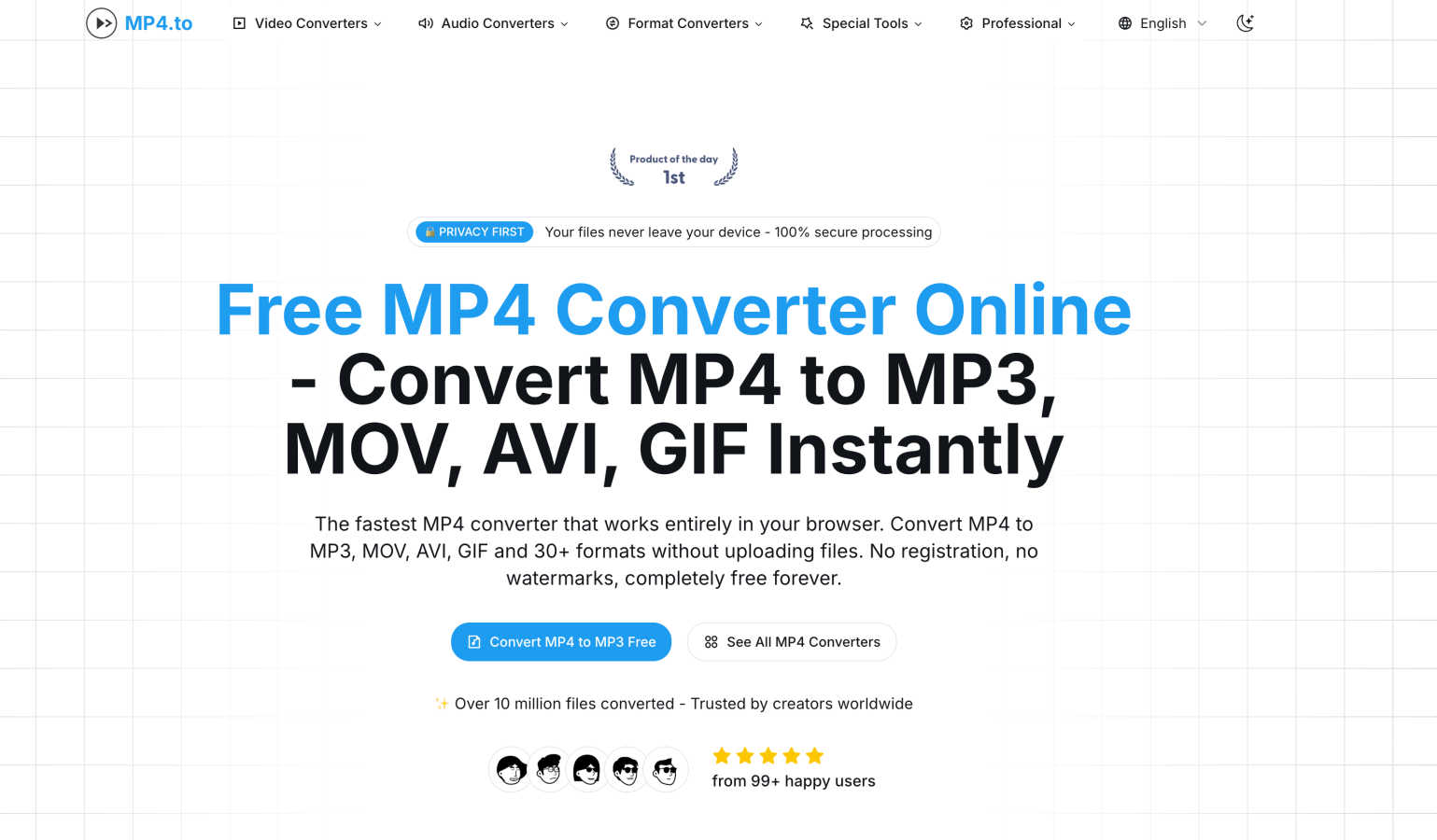
Transform your MP4s to 30+ formats instantly in-browser, keeping it free, fast, and totally private with no uploads.
Last updated: February 26, 2026
Visual Comparison
BlitzCut

Mp4To
Feature Comparison
BlitzCut
Automatic Silence Removal
Say goodbye to dead air! BlitzCut’s AI seamlessly removes all pauses and silences from your videos, allowing for a smooth viewing experience. This feature saves you precious editing time, transforming hours of editing into mere seconds.
AI Captions
Never worry about caption accuracy again. Our AI generates captions with over 95% accuracy, styled to go viral. With BlitzCut, your videos can reach a wider audience, and you can engage viewers more effectively through eye-catching captions.
Text-Based Editing
Editing has never been easier. With our text-based editing feature, you can delete sentences directly from the transcription. This means no more scrubbing through timelines—simply cut out what you don’t need with a few taps.
2-Minute Workflow
BlitzCut revolutionizes the editing process with a streamlined 2-minute workflow. From import to export, you can turn your raw clips into polished videos ready for social media in under two minutes—perfect for the fast-paced creator economy.
Mp4To
Privacy-First Processing
With Mp4To, your files never leave your device. All processing is done locally in your browser, ensuring that your data remains confidential and secure. No more worrying about leaks or privacy violations—just safe and private conversions every time.
Lightning-Fast Conversions
Powered by cutting-edge FFmpeg.wasm technology, Mp4To delivers rapid conversions without the need for uploads. This means you spend less time waiting and more time creating. Get your converted files almost instantly, whether you're converting a single clip or a batch of videos.
Extensive Format Support
Mp4To supports a whopping 30+ formats, including MP4, MOV, AVI, MP3, WAV, and FLAC. This extensive compatibility makes it incredibly versatile for all your audio and video needs. Whether you need to switch formats for a project or extract audio from a video, Mp4To has you covered.
Batch Processing Capability
Why waste time converting files one by one? Mp4To allows you to convert multiple files simultaneously, saving you precious time and effort. This feature is perfect for professionals and students alike who need to process several files in one go.
Use Cases
BlitzCut
Daily Content Creators
For TikTok and Instagram Reels creators, time is everything. BlitzCut allows you to edit and post multiple videos throughout the day, helping you stay relevant and engaged with your audience without the burnout.
Vloggers and YouTubers
Whether you're documenting your adventures or sharing tutorials, BlitzCut makes it easy to produce high-quality content quickly. Remove awkward silences and add captivating captions, making your videos more watchable and professional.
Social Media Managers
Managing multiple accounts? BlitzCut’s efficiency is a game-changer. Create quick, engaging content for various platforms, ensuring your clients or brand stay ahead in the digital landscape with minimal effort.
Educators and Trainers
Transform your lectures or training sessions into bite-sized, engaging videos. With BlitzCut, educators can remove pauses and add captions swiftly, enhancing the learning experience and making content more accessible.
Mp4To
Content Creation
Creators can use Mp4To to quickly convert video files into different formats for various platforms. Whether you're prepping a video for YouTube or extracting audio for a podcast, this tool makes it easy to get the right format without any fuss.
Educational Needs
Students can benefit from Mp4To by converting lecture videos into audio files for easier listening on the go. This flexibility allows for better study sessions—perfect for those long commutes or while doing chores.
Professional Video Editing
Video editors can utilize Mp4To to convert raw footage into project-ready formats. With high-quality output and customizable bitrate settings, ensuring the best quality for your edits has never been easier.
Music Extraction
If you’ve ever wanted to grab that perfect track from a video, Mp4To lets you extract audio effortlessly. Convert MP4 files to MP3 or WAV formats, and keep your favorite tunes without the hassle of complicated software.
Overview
About BlitzCut
BlitzCut is the ultimate AI-powered video editing tool designed to make professional-grade editing accessible to every creator out there. Whether you are a TikTok influencer, a YouTube vlogger, or a social media enthusiast, BlitzCut transforms your raw footage into polished, post-ready content in no time. Our mission is clear: speed up the editing process without sacrificing quality. By harnessing the power of AI, we automate tedious tasks like silence removal and captioning, allowing creators to focus on their art rather than the grind of editing. With a mobile-first approach, BlitzCut is built for iPhone, iPad, and Mac users, ensuring that you can edit anytime, anywhere. Get ready to post daily and elevate your content game with BlitzCut’s innovative features.
About Mp4To
Mp4To is your ultimate go-to powerhouse for video and audio conversion, designed to make the process as seamless as it is secure. Forget the hassle of uploading your files to sketchy servers; with Mp4To, everything is processed right in your browser, ensuring your precious digital content stays exactly where it belongs—on your device. Whether you're a content creator, a student needing to convert lecture videos, or a professional looking for fast and reliable media conversion, Mp4To has got your back. With support for over 30 formats including MP4, MP3, WAV, and more, this tool offers lightning-fast conversions without sacrificing quality. Plus, there are no hidden fees or registration walls to trip you up—just pure, unadulterated power and privacy at your fingertips. Experience the liberation of hassle-free media management with Mp4To, where your files are yours and conversion is just a click away.
Frequently Asked Questions
BlitzCut FAQ
Is BlitzCut really free to download?
Absolutely! BlitzCut is free to download on iPhone and Mac, giving creators the freedom to edit without any upfront cost.
How accurate are the AI-generated captions?
BlitzCut boasts over 95% accuracy for AI-generated captions, ensuring that your audience can understand and engage with your content effectively.
Can I export my videos directly to social media?
Yes! BlitzCut allows for full-quality HDR export directly to platforms like TikTok, Instagram, and YouTube, streamlining your posting process.
Do I need an account to use BlitzCut?
Nope! You can start editing right away without creating an account. Just download the app and dive into editing your videos!
Mp4To FAQ
Is the MP4 converter really free?
Absolutely! Mp4To is 100% free with no hidden costs. You can convert your audio and video files without having to worry about registration or subscriptions.
Are my files safe and private?
Yes! All processing is done locally in your browser, ensuring that your files never leave your device. Your privacy is a top priority, so you can convert with confidence.
What video and audio formats are supported?
Mp4To supports over 30 formats, including MP4, MOV, AVI, MP3, WAV, FLAC, and more. This extensive range makes it easy to find the right format for any project.
Is there a file size limit?
Mp4To does not impose strict limits on file sizes, allowing you to convert larger files without hassle. However, keep in mind that processing times may vary based on your device's capabilities.
Alternatives
BlitzCut Alternatives
BlitzCut is your AI-powered hype man, transforming raw clips into viral-ready bangers in minutes. It's the go-to tool for creators who want to crush the content game without the editing grind, sitting squarely in the content creation arena. But let's keep it a buck, no single app is everyone's vibe. Maybe the price tag doesn't fit your budget, or you need features for a different platform. Perhaps you're hunting for a specific filter pack or a deeper set of pro tools. It's all about finding the right fit for your creative flow. When scouting for other options, think about your non-negotiables. Do you need desktop power or mobile-only magic? Is AI captioning a must-have, or are you cool with manual work? Nail down what you need for your content to pop, and you'll find your perfect editing sidekick.
Mp4To Alternatives
Mp4To is your go-to online powerhouse for converting MP4 files into over 30 different formats—all without the hassle of uploads. As a browser-based media lab, it combines cutting-edge technology with a commitment to user privacy. But why might you be on the hunt for alternatives? Perhaps you're seeking different features, platform compatibilities, or even more options when it comes to formats and conversion speed. The digital landscape is vast, and sometimes, the perfect fit requires a little exploration. When choosing an alternative, consider factors like the variety of supported formats, ease of use, privacy policies, and the overall speed of conversion. Are you looking for something that works seamlessly across devices? Or maybe you need specific features that cater to your unique content creation needs? Knowing what you want will help you find the right tool that matches your style and workflow, maximizing your creative potential without compromising on control or security.