AI Convert Hub vs Tickari
Side-by-side comparison to help you choose the right AI tool.

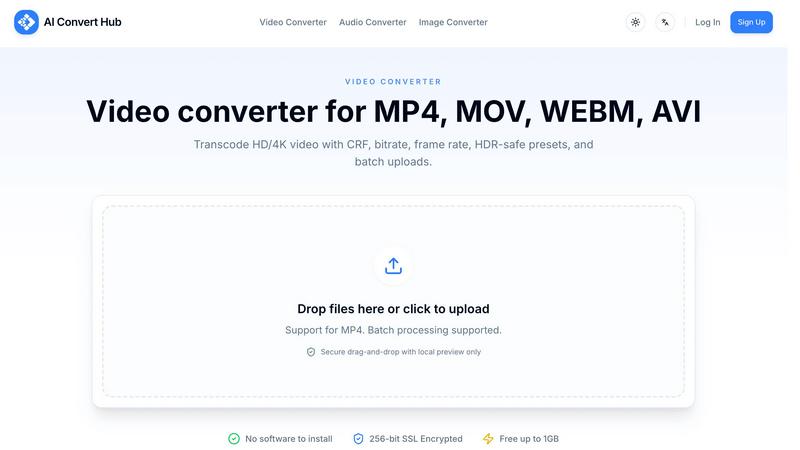
AI Convert Hub
Revamp your media game by transforming and compressing videos, audio, and images in bulk with lightning-fast AI power.
Last updated: February 26, 2026

The no-nonsense task manager that actually helps you get things done. No clutter. No complexity. Just you and your tasks.
Visual Comparison
AI Convert Hub
Tickari

Overview
About AI Convert Hub
Welcome to AI Convert Hub, your digital sidekick for all things file conversion and compression. This slick platform is tailored for the modern-day creator, developer, and team hustle. Say goodbye to clunky software installations and hello to seamless conversions right in your browser. Whether you are dealing with videos, audio, or images, AI Convert Hub delivers lightning-fast conversion across an impressive range of 200+ formats including MP4, MP3, JPG, and so much more. With a state-of-the-art distributed pipeline, this powerhouse tool ensures that you get high-quality output without the bulk. Plus, your data is protected with 256-bit SSL encryption, keeping your privacy locked up tighter than a drum. Perfect for creators looking to convert or compress 4K videos, podcasts, music, or web-ready images, AI Convert Hub is all about speed, control, security, and user-friendliness. Get ready to unleash your creativity without limits!
About Tickari
Tickari is a deliberately minimal, no-nonsense task manager designed for people who are tired of overcomplicated productivity tools and just want to get things done. Instead of overwhelming you with features like complex boards, AI-generated suggestions, or endless customization, Tickari focuses on a simple, frictionless workflow: write a task, tick it off, and move on.
The product embraces a “less but better” philosophy—eliminating clutter, reducing cognitive overhead, and removing the need for onboarding tutorials or setup processes. There are no distractions, no unnecessary decisions, and no feature bloat—just a clean interface that works instantly the moment you open it. This makes it particularly effective for users who feel stuck organizing tasks instead of actually completing them.