
Alternatives to VibeVideo
Explore the best alternatives and competitors to VibeVideo.
Explore 20 alternatives to VibeVideo. Compare features, pricing, and find the best fit for your needs.

FoxyLab
FoxyLab makes product videos and banner sets from chat prompts, with plain-language edits and several output sizes.

Surfio
Surfio makes AI-assisted ad videos from proven category examples and can manage campaigns and tracking for app businesses.
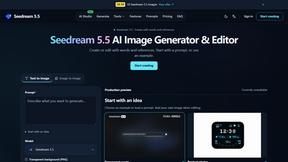
Seedream 5.5
Seedream 5.5 is an independent image creation and editing workspace for prompts, reference images, and adjustable output settings.
N33 AI
N33 AI brings chat with multiple AI models, live web search, file uploads, voice, and image and video generation into one workspace.

AI Webcam Effects
Chrome extension enhances camera quality, adds 15+ visual effects and filters and allows screen or live video recording.

AI Photo Editor
Edit or create images by describing the result, with tools for cleanup, scene changes, portrait styles, and restoration.

AI Christmas Card
AI Christmas Card makes festive cards from family, couple, or pet photos, with custom scenes, greetings, and print-ready orientation choices.
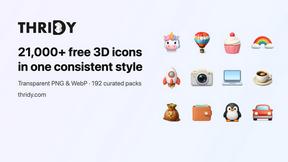
Thridy
Find consistent 3D icons as transparent PNGs, with daily download limits and attribution on the free plan and paid upgrades.

Flux3Max.io
Flux3Max.io creates short videos from prompts, photos, or keyframes, with sound and portrait or landscape output options.

LayerSplit
LayerSplit converts a flattened image into editable layers, rebuilding the background and exporting transparent PNGs or a layered PSD.

HaryAI
HaryAI provides one API key for discounted chat, video and image models, with pay as you go access for apps and coding agents.
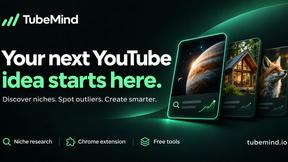
TubeMind
TubeMind helps YouTube creators assess niches, find outlier videos and use research examples to shape titles, hooks and scripts.
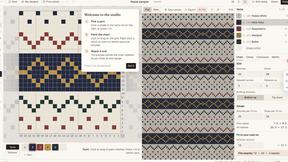
Knit Chart Maker
Knit Chart Maker lets knitters design colorwork charts, preview them in yarn, and check contrast and float lengths before knitting.

CastTake
CastTake creates AI video and image effects from a photo, with credit costs shown before generation and options for packs or subscriptions.
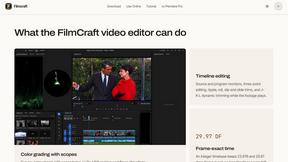
FilmCraft
FilmCraft is a free, open-source video editor with frame-accurate timelines, native codecs, and desktop or browser-based editing.

Neurohelper AI
A multi-model workspace for making chat, images, video and audio, with shared credits and a way to continue projects across creative tools.

PullClip
PullClip makes supported video and audio downloads simple, with source-based quality choices, clip trimming and frame export.

Cheso
Cheso helps teams turn files and research into editable presentations, posters, videos and interactive content.
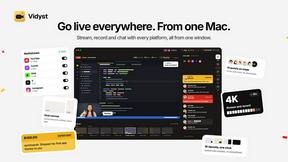
Vidyst Studio
Vidyst Studio is a Mac live streaming app for multistreaming, recording in 4K, and broadcasting horizontal and vertical video from one take.
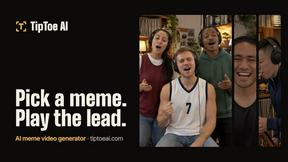
About VibeVideo Alternatives
For a still-image animation, compare image-to-video tools by the motion control and model styles they offer. If you are starting from a written concept, a text-to-video workflow may fit better. For projects with a fixed output specification, compare duration, resolution, aspect ratio, and credit use before choosing a service.
FAQs about VibeVideo Alternatives
Should I use image-to-video or text-to-video?
Choose image-to-video when you have a source image to animate. Choose text-to-video when you want to begin with a written description.
What should I compare between video generators?
Check supported inputs, model options, motion controls, output settings, and how generation is charged.