
Alternatives to Veo 4 video generator
Explore the best alternatives and competitors to Veo 4 video generator.
Explore 20 alternatives to Veo 4 video generator. Compare features, pricing, and find the best fit for your needs.

AI Tiny Desk
Make a 19-second desk-concert video with lead and sax, full band, Halloween or pet-band modes; audio and silent MP4.

VD6S
VD6S is a free online YouTube video downloader that supports HD, 4K and up to 8K downloads. Save videos in MP4 or audio in multiple formats.

Tip Toeing in My Jordans
Upload a photo and get a 12-second AI video of the viral tip toe meme: you play Rumpelstiltskin, a friend can play the woman in the hay.

Outstanding Tiny Desk AI
Upload photos of you and a friend and get a 15-second Outstanding Tiny Desk AI video with AI-generated sound, in 9:16 for TikTok, Reels and Shorts.
AI Rap Generators
Create 15-second AI rap videos from photos with original beats and verses—no filming, lyrics, or editing needed.

The Kiss
Turn two photos into a cinematic AI kissing video. Pick one of 13 kiss video templates; 30 free credits on sign-up.

Free Meme Video Generator
Create AI video memes from photos, clips or text prompts. Free credits to start.

Demo Editor
Paste your product's URL and get a promo video with voice-over and music, cut from your real site.

AIVideoAgent
Turn text ideas or reference images into videos through conversation, with agent-assisted prompts and a choice of video models.

Save X post
The easiest way to save X videos offline: no app to install and no account to create. Paste the link, choose HD or 4K, and the MP4 is yours.

AI Rap
AI rap generator that turns two portraits, or one photo of two people, into a short English duet rap video with original lyrics, vocals, and music.

Fix Pixelated Videos
AI that fixes pixelated, blocky and blurry videos. Free 15-second preview, no signup.

Thumbo
Thumbo makes YouTube thumbnails with AI: your face on every one, the style of any channel you like, and edits in plain words.

Tiny Desk AI Video Maker
Create a vertical Tiny Desk-style concert video from up to three photos with original music.

Bulin AI
Create a 15-second Bulin 47 AI freestyle video from one permitted portrait. One-time packs from $9.90, email delivery, no account or subscription.

Rhinobird
AI video ads, UGC-style videos, and product visuals for cross-border sellers and e-commerce brands.

GenX
All-in-one AI workspace to generate images, videos, and audio with multiple leading AI models.
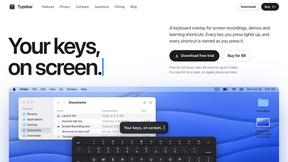
Typebar
Every key you press lights up on an on-screen keyboard, and each shortcut is named as you press it.

FastH3 Omni
Run FastH3 Omni in your browser. Up to 9 reference images plus 3 audio references become a 5–15s clip with synced audio. No install, no GPU.
About Veo 4 video generator Alternatives
If you're diving into the world of video creation, the Veo 4 video generator is your ticket to cinematic magic. This next-gen AI powerhouse transforms your wildest ideas into visually stunning, studio-grade videos, boasting ultra-realistic motion and jaw-dropping detail. It's the kind of tool that can make your content pop and leave your audience begging for more. As a top-tier video generator, Veo 4 is all about giving creators and brands the control they crave over their scenes, pushing the boundaries of what video can achieve. But let’s be real—sometimes, Veo 4 might not tick all the boxes for every user. Whether it's the price tag, specific features, or compatibility with other platforms, many creators are on the hunt for the perfect alternative. When exploring options, look for factors like user-friendly interfaces, feature sets that match your creative needs, and pricing models that won't break the bank. The right alternative will empower your vision without sacrificing quality or accessibility, so keep your eyes peeled for those game-changers that fit your unique style and workflow.
FAQs about Veo 4 video generator Alternatives
What is Veo 4 video generator?
Veo 4 video generator is a state-of-the-art AI-driven tool designed for creators and brands to produce ultra-realistic videos. With its advanced features, it allows users to create cinematic-quality content with impressive motion, detail, and scene control. It's perfect for anyone looking to elevate their video production game.
Who is Veo 4 video generator for?
Veo 4 is tailored for a diverse range of users, including content creators, marketers, and brands seeking to enhance their visual storytelling. Whether you're a seasoned videographer or a newbie looking to make an impact, Veo 4 provides the tools necessary to bring your creative vision to life.
Is Veo 4 video generator free?
Veo 4 video generator is not free; it operates on a pricing model that reflects its advanced features and capabilities. Users can explore various subscription options that best suit their needs and budgets, ensuring access to top-tier video generation without compromising quality.
What are the main features of Veo 4 video generator?
The main features of Veo 4 include ultra-realistic motion capture, extended scene capabilities, and high cinematic detail. These elements work together to empower creators with enhanced control over their video projects, making it easier to transform imaginative concepts into stunning visual narratives.