
Alternatives to RemoveTexts
Explore the best alternatives and competitors to RemoveTexts.
Explore 20 alternatives to RemoveTexts. Compare features, pricing, and find the best fit for your needs.

Seedream 5.5
Create distinctive AI images, refine them with references, and separate designs into layers.
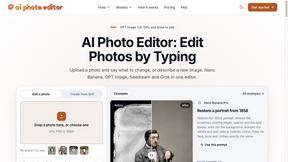
AI Photo Editor
An online AI photo editor where you describe the change and an AI image model makes it. Remove objects, swap backgrounds, restore old photos.

Flux3Max.io
Make 5-20s videos with sound from text or a photo with FLUX 3 Max. 720p/1080p, pay per second, from $9.90, no subscription.

LayerSplit
Split a flat image into named, transparent layers with the background filled in. Export PNG files, a ZIP or a layered PSD.

MakePiecesOfUs
Turn your pet's photos into a private virtual room, daily care, albums and dated memories.
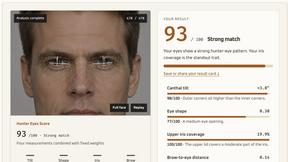
FaceCoda
Free AI attractiveness test built on facial geometry. Get a 0-100 face score with symmetry, facial thirds and fifths breakdown in your browser.
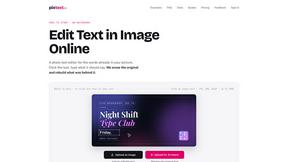
PixText
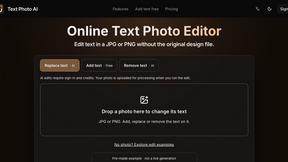
Free photo text editor: click any text in your image to change or remove it. AI rebuilds the background behind it, with no watermark. Free to start.
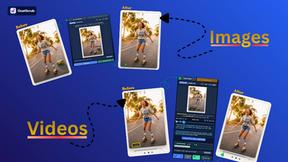
Goatscrub
Erase unwanted objects, moving people, burnt-in subtitles, logos, and blemishes from videos and photos using 3D optical flow and AI pattern repaint.
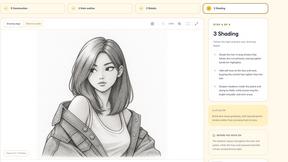

VirtualTryOn
Try on clothes, glasses, rings, hairstyles, and hair colors on your own photos with AI.

InkAge
Preview a tattoo on your own skin and see how it ages after 10, 30 and 50 years, or how laser removal would fade it.
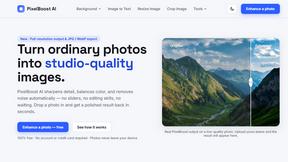
AI Pixel Boost
AI Pixel Boost offers free online AI image tools to enhance, upscale, resize, and edit images. Improve your photos with simple and powerful tools.

PhotoGenerAI
Create and edit AI photos from text prompts and reference images. Try free credits, with paid Pro settings available.

trykissai
AI kiss generator: add a photo of each person, pick a kiss scene, and get a kiss photo or a 5–7 second clip. 30 free credits.
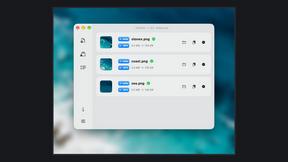
Zipic
Native image compression for Mac and Windows (Windows beta), with a local CLI and AI skill for automated image workflows.

RestoreOldPhoto
Restore old photos with RestoreOldPhoto.ai: repair scratches, creases and fading, sharpen faces and details, and optionally colorize family memories.

AI Rap
AI rap generator that turns two portraits, or one photo of two people, into a short English duet rap video with original lyrics, vocals, and music.

Enhance My Photo
Online AI photo enhancer that sharpens portraits, products, scenery, pets and text images and exports JPEG/PNG/WebP without watermarks.
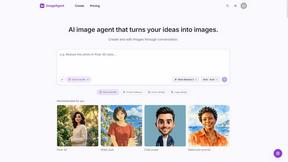
ImageAgent
Create and edit AI images through conversation, using text or reference images and refining results in chat.
About RemoveTexts Alternatives
RemoveTexts is an AI-powered image editing tool that specializes in erasing unwanted text from images without the need for complex software like Photoshop. Users upload their images and, with just a click, they can remove watermarks, subtitles, and other text overlays, all while maintaining the integrity of the original background. This tool falls under the category of image and photo editing, catering to creators, marketers, and designers who want fast, efficient results. People often seek alternatives to RemoveTexts due to various factors such as pricing, specific feature sets, or platform compatibility. Some users might require different editing capabilities or prefer a tool that aligns better with their workflow. When searching for an alternative, consider aspects like ease of use, output quality, supported languages, and the ability to edit or replace text, ensuring it meets your specific needs and enhances your creative process.
FAQs about RemoveTexts Alternatives
What is RemoveTexts?
RemoveTexts is an AI-powered tool designed to remove unwanted text from images quickly and efficiently.
Who is RemoveTexts for?
RemoveTexts is ideal for creators, marketers, and designers who need to edit images without extensive design skills.
Is RemoveTexts free?
RemoveTexts offers a variety of pricing options; users should check the website for the latest details.
What are the main features of RemoveTexts?
Main features include paint-to-remove options, automatic text removal, text editing, object removal, and support for over 50 languages.