
Alternatives to QUVIAI
Explore the best alternatives and competitors to QUVIAI.
Explore 20 alternatives to QUVIAI. Compare features, pricing, and find the best fit for your needs.

AI Room Makeover
Explore room redesigns and focused furniture, wall-color or material changes from your photo, with optional reference images.
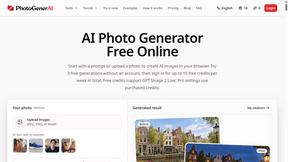
PhotoGenerAI
Create and edit AI photos from text prompts and reference images. Try free credits, with paid Pro settings available.

The Kiss
Turn two photos into a cinematic AI kissing video. Pick one of 13 kiss video templates; 30 free credits on sign-up.

trykissai
AI kiss generator: add a photo of each person, pick a kiss scene, and get a kiss photo or a 5–7 second clip. 30 free credits.

Selzee
Selzee is an AI ad generator that finds winning ads right now and recreates them for your brand, with your products, logo, fonts and colours.

Thumbo
Thumbo makes YouTube thumbnails with AI: your face on every one, the style of any channel you like, and edits in plain words.
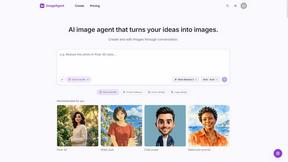
ImageAgent
Create and edit AI images through conversation, using text or reference images and refining results in chat.
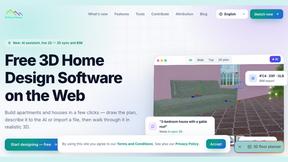
3D House Planner
Free 2D/3D home design in your browser: draw a floor plan, see it live in 3D, furnish it and get AI renders.
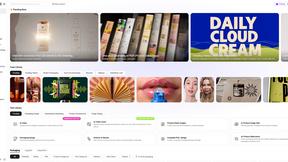
Rhinobird
AI video ads, UGC-style videos, and product visuals for cross-border sellers and e-commerce brands.

GenX
All-in-one AI workspace to generate images, videos, and audio with multiple leading AI models.

AppIconGenerator
Generate iOS and Android app icons from any image and export all platform sizes for free.

Design.com AI Image Generator
Turn text prompts into polished, copyright-safe visuals that plug directly into branded templates
FastH3 Omni
Run FastH3 Omni in your browser. Up to 9 reference images plus 3 audio references become a 5–15s clip with synced audio. No install, no GPU.
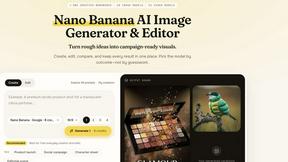
Nano AI
Create and edit AI images, generate videos, and compare models in one creative workbench.


YIX
YIX combines AI image and video generation, photo editing, restoration, product visuals and free prompt tools in one browser studio.

AiArter
AI product photos and UGC video ads for Amazon, Etsy and Shopify sellers, made from one phone photo.
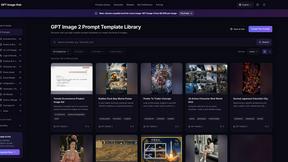
GPT Image Hub
Curated image prompts, reusable templates, and multi-model AI generation in one workspace.

NanoBanana
Generate and edit AI images with six models, references, templates, and a visual workflow canvas.
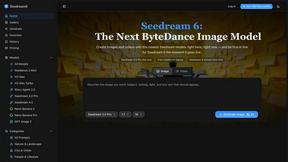
Seedream 6
Independent Seedream 6 guide with a browser-based AI image and video generator powered by Seedream 5.0 Pro and 5.5.
About QUVIAI Alternatives
In the ever-evolving world of creative technology, QUVIAI stands out as a powerhouse AI-driven platform that caters to architects, designers, and creators looking to revolutionize their visual projects. This all-in-one solution allows users to upload sketches, images, or 3D models and effortlessly transform them into stunning photorealistic renders, immersive cinematic videos, and more. With its built-in 3D workspace, it enables seamless modeling and rendering without the hassle of juggling multiple tools. QUVIAI is a game changer for those in the image generation category, but as with any tech, users often find themselves on the hunt for alternatives that better suit their unique needs. People may seek out alternatives to QUVIAI for various reasons, including pricing, specific feature sets, or compatibility with their preferred platforms. Some users may prioritize cost-effectiveness, while others may require specialized tools that cater to niche creative processes. When searching for an alternative, it’s crucial to consider factors such as ease of use, the range of functionalities offered, and the ability to integrate with other software and systems. Ultimately, finding the right fit can enhance the creative journey and elevate the quality of the output, whether it’s through different rendering capabilities or additional design tools.
FAQs about QUVIAI Alternatives
What is QUVIAI?
QUVIAI is an all-in-one AI-powered creative platform that allows architects, designers, and creators to generate photorealistic visuals, cinematic videos, and original music from simple inputs like sketches, images, or 3D models. The platform streamlines the creative process by integrating multiple functions into a single workspace, making it easier to create and iterate on designs.
Who is QUVIAI for?
QUVIAI is designed for architects, designers, and other creative professionals who want to enhance their projects with high-quality visual and audio elements. Whether you're turning a mere concept into a realistic render or crafting a cinematic walkthrough, QUVIAI provides the tools necessary to bring your ideas to life.
Is QUVIAI free?
QUVIAI offers a free trial, allowing users to explore its features and capabilities without any upfront cost. This trial enables potential users to gauge how well the platform meets their creative needs before committing to a subscription or purchase.
What are the main features of QUVIAI?
The main features of QUVIAI include the ability to upload and transform sketches, images, or 3D models into photorealistic renders and cinematic videos. Users can generate multi-angle views, original music, and even create furniture and decorative objects to stage within their designs, all within a built-in 3D workspace that encourages seamless iteration and creativity.