
Alternatives to Nim Video
Explore the best alternatives and competitors to Nim Video.
Explore 20 alternatives to Nim Video. Compare features, pricing, and find the best fit for your needs.
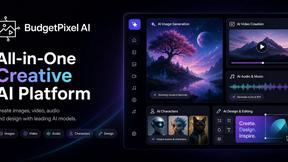
Budgetpixel AI
Create and edit AI images, videos, music, and designs in one workspace, with multiple models, reusable characters, and API access.
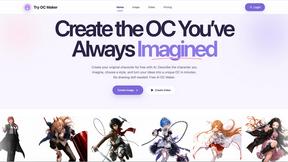
Try OC Maker
Create OCs from text or images, customize their look, and turn them into animated videos with AI.
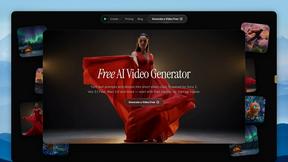
FreeVideoGenerator
Free AI video generator: turn text prompts and photos into video clips with Sora 2, Veo 3.1, Wan and more. Free starter credits, no watermark download


Turbotools
Free online web tools: PDF converter, image compressor, word counter, text reverse, JSON formatter & generator. 100% free with no sign-ups!

Leadeon
AI growth tool for X and LinkedIn: write posts in your voice, schedule at your best times, find leads on X and see what works.
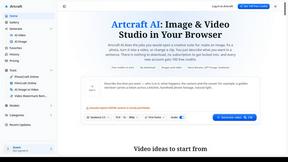
Artcraft AI
AI image and video studio in your browser: generate and edit images, turn photos into videos, edit clips by sentence.
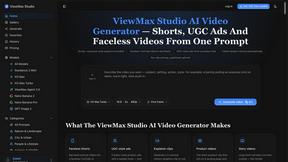
ViewMax Studio
AI video generator that turns one prompt into shorts, UGC-style ads and faceless videos, with script, voiceover and captions included.

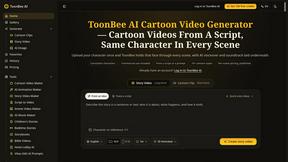
ToonBee AI
ToonBee AI turns a script or a one-line idea into a narrated cartoon video, keeping the same character in every scene. 10+ styles, 16:9 or 9:16.
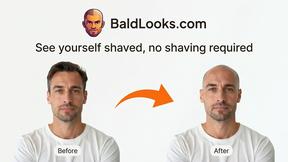

ImageGenerator
Create and edit AI images online with multiple models, text-to-image, image-to-image, background removal, and upscaling.
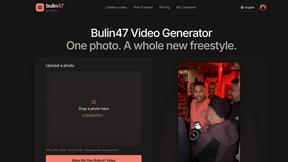
Bulin 47 Video Generator
AI Video Bulin47 lets you put yourself in the viral Bulin47 video trend with AI. Upload your photo, create a personalized Bulin47 video, and share it.
Bulin 47 AI Freestyle Video Generator
Upload any photo and get your own Bulin 47 AI Freestyle video

ColdCrow
AI cold email writer with a deliverability score - describe a prospect, get a personalized draft in seconds.

Ozil Goal AI
Upload one photo and get an 8-second vertical football goal video with you on the ball.
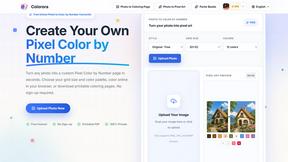
pixelartcolorbynumber
Turn any photo into a custom Pixel Color by Number page in seconds. Choose your grid size and color palette, color online in your browser, or downloa
AI Face Swap Video
Swap any face into any video online with AI in minutes. Upload a clip and a photo, get natural lighting and expressions. Free credits on sign-up.
FreeCreate
Create AI images from text or reference photos and turn prompts or still images into short videos with FreeCreate. Start free, no account needed.
About Nim Video Alternatives
Nim Video is the all-in-one AI video creation beast that throws Seedance 2.0, Kling 3.0, and Gemini Omni Flash into a single, blazing-fast workspace, letting you cook up broadcast-ready 2K clips from text, images, or audio in under a minute. It’s sitting pretty in the Content Creation and Design Tools category, flexing a full arsenal from Text-to-Video and AI Lip Sync to Image Generation and Motion Control, making it a go-to for creators, marketers, and educators who need slick social media clips, product ads, or e-learning content without the headache. But here’s the tea: even the dopest tools have their limits. Users start hunting for alternatives when the pricing gets stiff, when they need a specific feature that’s missing for their niche workflow, or when they’re stuck on a platform that doesn’t vibe with their existing setup. When you’re scoping out a replacement, don’t just grab the first shiny object—you gotta lock in on what actually matters for your grind. Look for a platform that nails the core stuff: video quality that doesn’t look like a glitchy mess, speed that keeps up with your hustle, and a feature set that covers your bases, whether that’s lip-sync precision, motion control, or language support. Also, check the flexibility—can you tweak prompts, mix media types, and export without a headache? And don’t sleep on the pricing model; if you’re a solo creator, you need something that scales without bleeding your wallet dry, while teams might want robust templates and documentation. Keep it real, keep it specific, and you’ll find your perfect match.
FAQs about Nim Video Alternatives
What is Nim Video?
Nim Video is an all-in-one AI video creation platform that integrates powerful models like Seedance 2.0 by ByteDance, Kling 3.0 Motion Control, and Gemini Omni Flash into a single workspace. It enables users to generate broadcast-ready 2K videos from text, images, or audio in under 60 seconds, with native voiceover support in 8 languages. The platform is packed with tools including Text-to-Video, Image-to-Video, AI Video Editor, AI Lip Sync, AI Image Generator, and Motion Control AI, making it a comprehensive solution for rapid content creation.
Who is Nim Video for?
Nim Video is designed for creators, marketers, and professionals across various industries who need to produce high-quality video content quickly. It is particularly useful for social media managers, e-commerce businesses, product advertisers, and educators looking to create engaging visuals without extensive technical skills. The platform also offers SaaS templates and detailed documentation for developers who want to integrate or customize video generation into their own applications.
Is Nim Video free?
Based on the provided product content, there is no explicit mention of a free tier or pricing structure for Nim Video. The platform is described as a comprehensive, professional-grade tool used by creators and marketers worldwide, which typically suggests a paid subscription model for full access to its advanced features like 2K video output and multiple AI models. Users should check the official Nim Video website for the most current pricing details, free trial availability, or any limited free usage options.
What are the main features of Nim Video?
Nim Video offers a robust suite of features including Text-to-Video and Image-to-Video generation, an AI Video Editor, AI Lip Sync for realistic character animation, and an AI Image Generator powered by GPT Image 2. It also includes Motion Control AI for precise video adjustments, native voiceover in 8 languages, and the ability to create 2K videos in under 60 seconds. The platform integrates Seedance 2.0, Kling 3.0, and Gemini Omni Flash, providing a powerful, all-in-one workspace for rapid content creation.