
Alternatives to GPT Image 2
Explore the best alternatives and competitors to GPT Image 2.
Explore 20 alternatives to GPT Image 2. Compare features, pricing, and find the best fit for your needs.
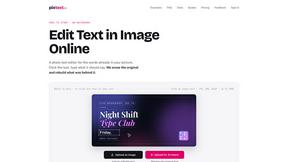
PixText
Free photo text editor: click any text in your image to change or remove it. AI rebuilds the background behind it, with no watermark. Free to start.

stackledge
Cut through the hype with hand-verified AI tools, autonomous agents, and ready-to-run n8n automations. 100% human-reviewed with zero scraper junk.
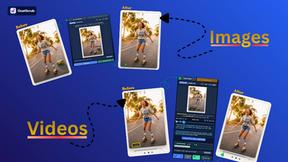
Goatscrub
Erase unwanted objects, moving people, burnt-in subtitles, logos, and blemishes from videos and photos using 3D optical flow and AI pattern repaint.
White Screen Checker
Check your screen display for dead pixels using White screen or black screen checkers.
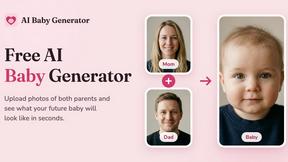
AI Baby Generator
Upload photos of both parents and see what your future baby will look like in seconds.
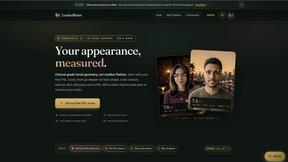
LooksMeter
Upload one photo for a free PSL score and face rating. 47 tools cover face shape, symmetry, color season and more. No signup needed.
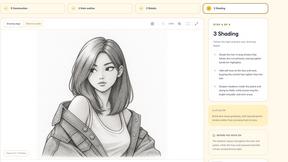
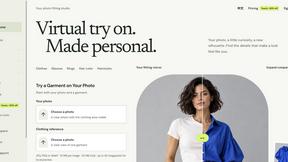
VirtualTryOn
Try on clothes, glasses, rings, hairstyles, and hair colors on your own photos with AI.
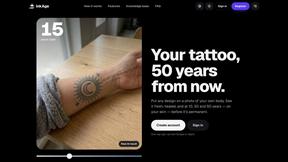
InkAge
Preview a tattoo on your own skin and see how it ages after 10, 30 and 50 years, or how laser removal would fade it.
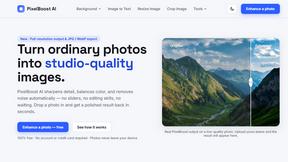
AI Pixel Boost
AI Pixel Boost offers free online AI image tools to enhance, upscale, resize, and edit images. Improve your photos with simple and powerful tools.
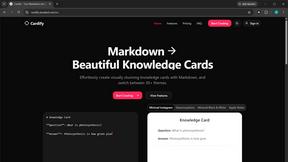
Cardify
Write Markdown on the left, get a finished knowledge card on the right. 30+ themes, custom size and fonts, PNG/SVG/PDF export.

AI Room Makeover
Explore room redesigns and focused furniture, wall-color or material changes from your photo, with optional reference images.
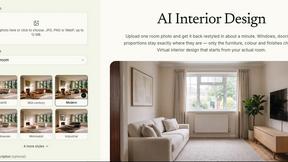
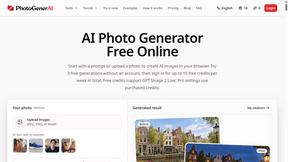
PhotoGenerAI
Create and edit AI photos from text prompts and reference images. Try free credits, with paid Pro settings available.

The Kiss
Turn two photos into a cinematic AI kissing video. Pick one of 13 kiss video templates; 30 free credits on sign-up.
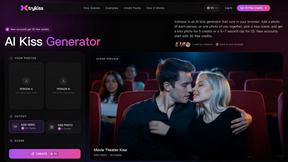
trykissai
AI kiss generator: add a photo of each person, pick a kiss scene, and get a kiss photo or a 5–7 second clip. 30 free credits.
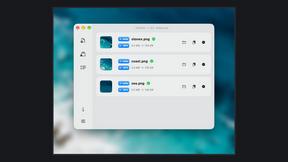
Zipic
Native image compression for Mac and Windows (Windows beta), with a local CLI and AI skill for automated image workflows.
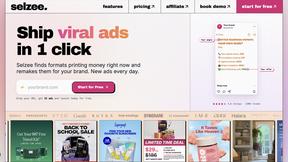
Selzee
Selzee is an AI ad generator that finds winning ads right now and recreates them for your brand, with your products, logo, fonts and colours.
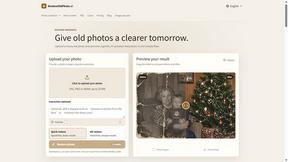
RestoreOldPhoto
Restore old photos with RestoreOldPhoto.ai: repair scratches, creases and fading, sharpen faces and details, and optionally colorize family memories.
About GPT Image 2 Alternatives
GPT Image 2 is the digital artist’s wildest dream and the marketer’s secret weapon—a browser-based AI image generator and photo editor that lets you cook up product visuals, ads, thumbnails, and brand assets on the fly. It’s a beast in the Design Tools and Image Generation categories, slinging text-to-image, image-to-image, and prompt-based editing like it’s nobody’s business. But let’s keep it real: users start hunting for alternatives when the price tag stings, the feature set feels too locked down, or the platform doesn’t play nice with their workflow. Maybe you need more raw control over upscaling, a different vibe for reference images, or a tool that vibes harder with your ecommerce hustle. When scoping out a replacement, look for solid cleanup capabilities, fast iteration loops, and outputs that download clean without drama. You want a tool that flexes with your creative chaos, not one that cages it.
FAQs about GPT Image 2 Alternatives
What is GPT Image 2?
GPT Image 2 is an online AI image generator and photo editor designed for creators, marketers, ecommerce teams, designers, and small businesses. It operates entirely in the browser, supporting workflows like text-to-image, image-to-image, prompt-based editing, reference image setups, upscaling, cleanup, and downloadable creative outputs. It’s a versatile tool for producing product visuals, ads, thumbnails, portraits, brand assets, and fast visual variations.
Who is GPT Image 2 for?
GPT Image 2 is built for a wide range of users including creators, marketers, ecommerce teams, designers, and small businesses. Whether you need to generate product visuals, craft ad creatives, design thumbnails, or produce brand assets quickly, the tool is tailored to support fast iteration and professional-grade output. It’s ideal for anyone who wants a browser-based solution for AI-powered image generation and editing without needing deep technical skills.
Is GPT Image 2 free?
Pricing details for GPT Image 2 are not specified in the provided content, but it is positioned as an online tool for professional use, which often implies a freemium or subscription-based model. Users should check the official platform for the most current pricing tiers, as free versions may offer limited features or output credits. The tool’s focus on creators and small businesses suggests flexible plans to match different usage levels.
What are the main features of GPT Image 2?
GPT Image 2’s main features include text-to-image generation, image-to-image transformation, prompt-based editing, reference image workflows, upscaling, cleanup tools, and downloadable creative outputs. It supports creating product visuals, ads, thumbnails, portraits, brand assets, and fast visual variations directly in the browser. These features make it a comprehensive AI photo editor and image generator for rapid, high-quality visual content creation.