
Alternatives to DeepFake
Explore the best alternatives and competitors to DeepFake.
Explore 20 alternatives to DeepFake. Compare features, pricing, and find the best fit for your needs.

Free Meme Video Generator
Create AI video memes from photos, clips or text prompts. Free credits to start.

Selzee
Selzee is an AI ad generator that finds winning ads right now and recreates them for your brand, with your products, logo, fonts and colours.

Demo Editor
Paste your product's URL and get a promo video with voice-over and music, cut from your real site.
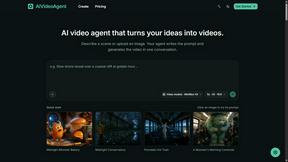
AIVideoAgent
Turn text ideas or reference images into videos through conversation, with agent-assisted prompts and a choice of video models.

Save X post
The easiest way to save X videos offline: no app to install and no account to create. Paste the link, choose HD or 4K, and the MP4 is yours.

AI Rap
AI rap generator that turns two portraits, or one photo of two people, into a short English duet rap video with original lyrics, vocals, and music.
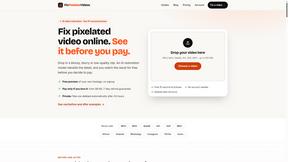
Fix Pixelated Videos
AI that fixes pixelated, blocky and blurry videos. Free 15-second preview, no signup.
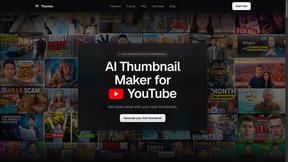
Thumbo
Thumbo makes YouTube thumbnails with AI: your face on every one, the style of any channel you like, and edits in plain words.
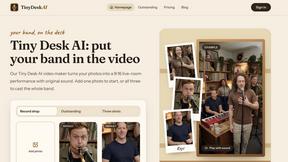
Tiny Desk AI Video Maker
Create a vertical Tiny Desk-style concert video from up to three photos with original music.
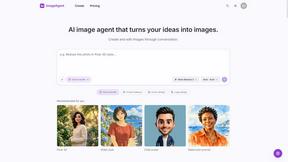
ImageAgent
Create and edit AI images through conversation, using text or reference images and refining results in chat.
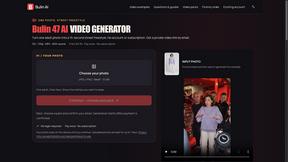
Bulin AI
Create a 15-second Bulin 47 AI freestyle video from one permitted portrait. One-time packs from $9.90, email delivery, no account or subscription.

3D House Planner
Free 2D/3D home design in your browser: draw a floor plan, see it live in 3D, furnish it and get AI renders.

Rhinobird
AI video ads, UGC-style videos, and product visuals for cross-border sellers and e-commerce brands.

GenX
All-in-one AI workspace to generate images, videos, and audio with multiple leading AI models.

AppIconGenerator
Generate iOS and Android app icons from any image and export all platform sizes for free.
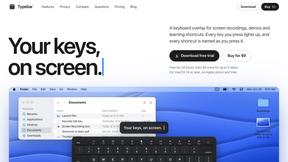
Typebar
Every key you press lights up on an on-screen keyboard, and each shortcut is named as you press it.
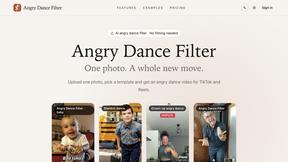

Design.com AI Image Generator
Turn text prompts into polished, copyright-safe visuals that plug directly into branded templates
FastH3 Omni
Run FastH3 Omni in your browser. Up to 9 reference images plus 3 audio references become a 5–15s clip with synced audio. No install, no GPU.
About DeepFake Alternatives
DeepFake is the all-in-one AI studio that lets you swap faces, generate videos from images, turn prompts into visuals, and even cook up AI music—all built on a consent-based framework. It sits squarely in the video and image generation lane, but let’s be real: not every creator vibes with every tool. You might be hunting for alternatives because the pricing doesn’t fit your budget, the platform lacks a specific workflow you need, or you’re just trying to find a tool that matches your exact creative rhythm. Maybe the UI feels too clunky for your speed, or you need more granular control over face mapping. Whatever the reason, the hunt is real. When scoping out a replacement, don’t just chase the hype. Look for a tool that delivers crisp, high-resolution output without sacrificing ethical guardrails—consent isn’t optional anymore. Check if it supports your preferred input types, like raw photos or reference frames, and whether it handles video, image, and audio in one seamless pipeline. Speed matters, too: you want a tool that renders faster than your attention span. Finally, make sure the pricing doesn’t make you choke on your coffee—find a plan that scales with your hustle, not against it.
FAQs about DeepFake Alternatives
What is DeepFake?
DeepFake is an all-in-one AI studio designed for creating consent-based deepfake videos, face exchange clips, images, and music. It streamlines workflows like face swapping, image-to-video conversion, AI image generation, and AI music composition into a single platform. The tool turns a photo, prompt, or reference frame into creator-ready video, image, and audio content, making it a versatile hub for digital creators.
Who is DeepFake for?
DeepFake is built for content creators, video editors, digital artists, musicians, and marketing professionals who need rapid, high-quality visual and audio assets. It’s ideal for anyone producing social media clips, personalized media, or creative projects that require realistic face swaps or AI-generated imagery. The consent-based framework also makes it suitable for ethical use cases like entertainment, education, and brand storytelling.
Is DeepFake free?
DeepFake is not explicitly described as a free tool; it likely operates on a subscription or pay-per-use model typical of premium AI studios. Pricing details are not provided in the product description, but users should expect a tiered structure based on features, output resolution, and usage limits. For accurate pricing, you would need to check the official DeepFake platform directly.
What are the main features of DeepFake?
DeepFake’s main features include consent-based deepfake video creation, face exchange for images and clips, image-to-video conversion, AI image generation from prompts, and AI music composition. It supports multiple input types like photos, text prompts, and reference frames, and outputs ready-to-use video, image, and audio files. This all-in-one approach eliminates the need for juggling separate tools for different media types.