
Alternatives to Anime Maker
Explore the best alternatives and competitors to Anime Maker.
Explore 20 alternatives to Anime Maker. Compare features, pricing, and find the best fit for your needs.
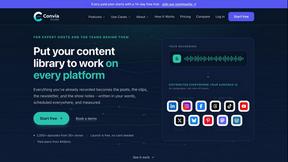
Convia Studio
Turn every podcast or video episode into a coordinated campaign: posts, clips, newsletter and show notes, published to 9 platforms.
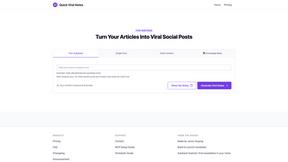
Quick Viral Notes
Turn a long-form article into Substack Notes and social posts. Paste the URL and schedule posts from the Chrome extension. By Build to Launch.
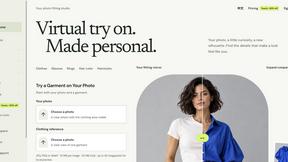
VirtualTryOn
Try on clothes, glasses, rings, hairstyles, and hair colors on your own photos with AI.
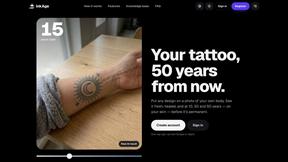
InkAge
Preview a tattoo on your own skin and see how it ages after 10, 30 and 50 years, or how laser removal would fade it.
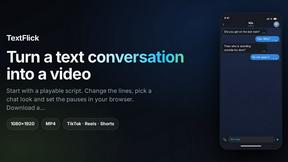
TextFlick
Turn a written chat into a vertical text message video for TikTok, Shorts and Reels, with typing, sounds and an AI script writer.

ScaleReach
Clip videos by chatting with Claude or ChatGPT through ScaleReach's MCP server. 100 free minutes for new accounts.
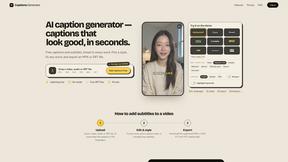
Captions Generator
AI captions for any video in your browser. Fix words, pick a style, translate into 100+ languages, export MP4, SRT, VTT or TXT. Free, no sign-up.

FlipHTML5 Downloader
Turn any FlipHTML5 flipbook into a high-quality PDF in your browser - free, open source, and no signup required.
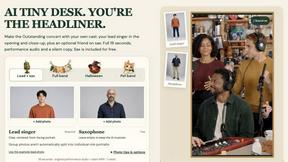
AI Tiny Desk
Make a 19-second desk-concert video with lead and sax, full band, Halloween or pet-band modes; audio and silent MP4.
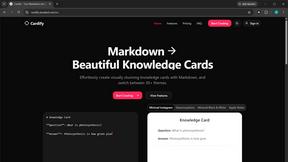
Cardify
Write Markdown on the left, get a finished knowledge card on the right. 30+ themes, custom size and fonts, PNG/SVG/PDF export.
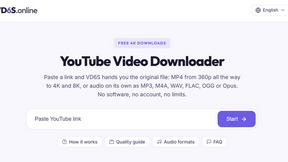
VD6S
VD6S is a free online YouTube video downloader that supports HD, 4K and up to 8K downloads. Save videos in MP4 or audio in multiple formats.

AI Room Makeover
Explore room redesigns and focused furniture, wall-color or material changes from your photo, with optional reference images.

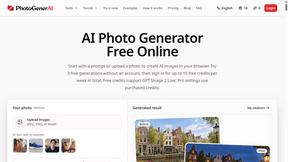
PhotoGenerAI
Create and edit AI photos from text prompts and reference images. Try free credits, with paid Pro settings available.

Tip Toeing in My Jordans
Upload a photo and get a 12-second AI video of the viral tip toe meme: you play Rumpelstiltskin, a friend can play the woman in the hay.
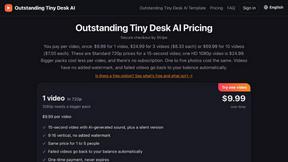
Outstanding Tiny Desk AI
Upload photos of you and a friend and get a 15-second Outstanding Tiny Desk AI video with AI-generated sound, in 9:16 for TikTok, Reels and Shorts.
AI Rap Generators
Create 15-second AI rap videos from photos with original beats and verses—no filming, lyrics, or editing needed.

The Kiss
Turn two photos into a cinematic AI kissing video. Pick one of 13 kiss video templates; 30 free credits on sign-up.

About Anime Maker Alternatives
Anime Maker is your AI-powered creative beast for whipping up anime-style images, custom characters, slick logos, wild filters, and even image-to-video concepts straight from your brain or a photo. It sits at the intersection of content creation, design tools, video, and image generation, giving artists, game devs, marketers, and die-hard anime fans a streamlined browser workflow to blast through visual ideas without the usual software headaches. But let’s be real—sometimes the vibe doesn’t fit, the wallet feels too light, or you need a tool that plays nicer with your specific pipeline, like mobile-first editing, different art styles, or raw video export options. Users start hunting for alternatives when pricing gets spicy, feature sets feel too narrow, or they crave something that handles bulk generation, real-time collaboration, or integrates with their existing stack. When scouting for a replacement, keep your eyes peeled for generation quality, style variety (not just anime but manga or cyberpunk), export formats, speed, and whether the platform supports both text-to-image and photo-to-anime without lag. Also check for free tiers or one-time payments—because nobody wants to get locked into a subscription for a tool that only does half the job.
FAQs about Anime Maker Alternatives
What is Anime Maker?
Anime Maker is an AI-powered creative platform that lets you turn text prompts and photos into anime-style images, original characters, avatars, logos, filters, and image-to-video concepts. It provides a focused browser workflow for quickly exploring visual ideas, with multiple generation modes and export-ready results.
Who is Anime Maker for?
Anime Maker is built for artists, creators, game teams, marketers, and anime fans who need a fast, browser-based tool to generate anime-style visuals. It’s ideal for anyone prototyping characters, creating social media filters, or producing concept art without diving into complex design software.
Is Anime Maker free?
Based on the provided content, Anime Maker’s pricing model is not explicitly detailed, but it is described as a focused browser workflow with multiple generation modes. Users commonly look for alternatives due to pricing concerns, so it’s recommended to check the official site for current free tier availability or subscription plans.
What are the main features of Anime Maker?
Anime Maker’s main features include AI generation of anime-style images from text prompts, photo-to-anime conversion, original character and avatar creation, logo design, custom filters, and image-to-video concept generation. It supports multiple generation modes and produces export-ready results directly from the browser for quick use in projects or social media.