

xfiles
xfiles is a free browser toolkit for PDF and image tasks, with additional audio and video utilities and no file uploads.
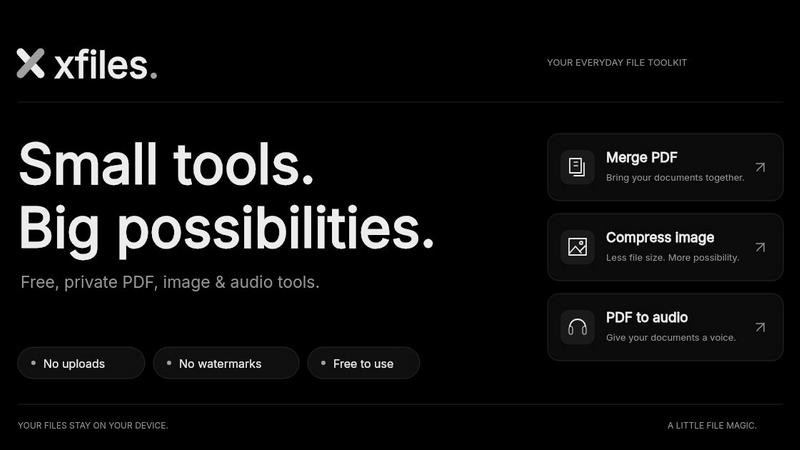
About xfiles
xfiles brings common file utilities into one browser-based catalog. For PDF work, the page lists tools to merge or split documents, remove pages, edit content and convert pages to other formats. Image utilities include compression, resizing, cropping and format conversion. Audio and video are also included as categories, with examples such as reading a PDF aloud and creating a transcript from spoken English.
Its stated approach is to process files on the user's device, avoiding uploads and account creation. This is useful for quick, discrete tasks across file types. The catalog is extensive, but individual utilities have specific scopes; for example, the listed PDF redaction tool removes selected areas by rebuilding pages from rendered pixels, a detail worth reviewing when choosing a tool for sensitive document work.
Features of xfiles
- Browser tools for PDF, image, audio and video files
- PDF page editing, organization and conversion options
- Image compression, resizing, cropping and conversion
- Device-side file processing without an account
Use Cases of xfiles
- Remove or rearrange pages in a PDF
- Compress an image for easier sharing
- Convert document pages into images
- Listen to PDF content or create a speech transcript
Frequently Asked Questions
Does xfiles upload files to a server?
The product page says tools process files on your device, with no uploads.
What does its PDF redaction tool do?
The listing says it permanently removes selected areas by rebuilding each page from rendered pixels.
Can I use it for image tasks?
Yes. The catalog includes tools such as resizing, compression, cropping and format conversion.
Pricing of xfiles
Free to use, according to the product page.
Explore more in this category:
Similar to xfiles

Seedream 5.5
Seedream 5.5 is an independent image creation and editing workspace for prompts, reference images, and adjustable output settings.

BerryNodes
BerryNodes provides KVM VPS hosting on NVMe across 71 locations, with root access, DDoS filtering and outbound SMTP on every plan.

AlisHosting
AlisHosting provides KVM VPS hosting with NVMe storage, full root access, DDoS protection and deployment in under 60 seconds across 35+ locations.

AI Photo Editor
Edit or create images by describing the result, with tools for cleanup, scene changes, portrait styles, and restoration.

Text Photo AI
Edit words in JPG and PNG photos with AI, or add a caption free in your browser and export a PNG without signing in.

Flux3Max.io
Flux3Max.io creates short videos from prompts, photos, or keyframes, with sound and portrait or landscape output options.

LayerSplit
LayerSplit converts a flattened image into editable layers, rebuilding the background and exporting transparent PNGs or a layered PSD.

SmartCV
SmartCV offers editable resume templates, AI writing suggestions, text checks, and job tracking for professionals preparing applications.