

Seedream 5.0
Seedream 5.0 transforms your text into breathtaking 4K AI images in seconds, making creativity effortless and.
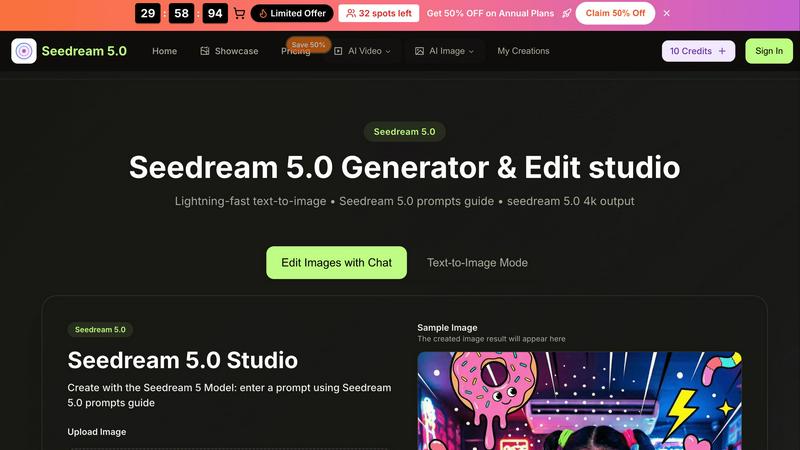
About Seedream 5.0
Forget waiting for that elusive spark of creativity. Seedream 5.0 is your ultimate ticket to unleashing instant visual genius, bridging the gap between your wildest ideas and breathtaking high-resolution artwork. Powered by ByteDance's cutting-edge technology, this isn't just another AI image generator; it's an entire editing studio in your browser. With Seedream 5.0, you can whip up stunning, 4K-ready visuals from mere text prompts in a jaw-dropping 2-5 seconds. It caters to everyone—digital artists hunting for that perfect concept, content creators in need of killer visuals for social media, and marketers crafting standout brand identities. The secret sauce? The powerhouse Seedream 5 Model delivers insane image fidelity, while the lightning-fast Seedream V5 engine keeps your creative juices flowing without disruption. Say goodbye to clunky software and hello to a seamless workflow where generating, refining with built-in prompts, and exporting pristine 4K masterpieces is just a click away. Dive into the world of Seedream 5.0 today, and experience creative freedom like never before—plus, you can try it online for free!
Features of Seedream 5.0
Lightning-Fast Text-to-Image Generation
Experience mind-blowing instant generation with Seedream V5, which transforms your text prompts into high-quality images in just 2-5 seconds. This feature ensures that your creative process remains uninterrupted and efficient, allowing you to produce images on demand.
Advanced Image Editing with Natural Language
Edit your images seamlessly using natural language instructions. The integrated AI understands your requests and allows you to refine your visuals with a conversational tone, making it easy for anyone to achieve professional results without technical know-how.
Consistent Character Creation
Need to maintain character consistency across multiple images? Seedream 5.0 excels in creating lifelike characters with the same facial features, hairstyles, and expressions. This is perfect for storytelling, series content, and reinforcing brand identity, ensuring your visuals remain coherent and recognizable.
High-Resolution Output
Generate images in native 2K resolution and upscale them to stunning 4K quality with just one click. This feature guarantees that your visuals are print-ready and of the highest professional standard, making them suitable for any project from social media to marketing materials.
Use Cases of Seedream 5.0
Digital Artists and Illustrators
Seedream 5.0 is a game-changer for digital artists looking to quickly visualize concepts or create stunning artwork from scratch. With its rapid generation capabilities, artists can experiment with multiple ideas effortlessly, allowing for greater creativity and inspiration.
Social Media Content Creators
For content creators, Seedream 5.0 provides a treasure trove of high-quality visuals that can enhance posts across various platforms. With its quick turnaround, creators can keep their feeds fresh and engaging, driving higher interaction and audience growth.
Marketers and Brand Managers
Marketers can utilize Seedream 5.0 to craft unique visuals that align with their brand identity. The ability to maintain consistency across images and generate high-resolution outputs ensures that marketing campaigns are visually striking and cohesive.
Educators and Trainers
Educators can leverage Seedream 5.0 to create engaging visuals for presentations, lesson materials, or training resources. The tool's intuitive interface and fast generation speed help educators bring complex concepts to life, enhancing the learning experience.
Frequently Asked Questions
How does Seedream 5.0 generate images so quickly?
Seedream 5.0 uses a powerful combination of the Seedream 5 Model and Seedream V5 engine, optimized for lightning-fast image generation. This advanced technology allows for the transformation of text prompts into high-resolution images in just 2-5 seconds.
Can I edit images after they are generated?
Absolutely! Seedream 5.0 includes a natural language editing feature that lets you refine images post-generation. You can easily make adjustments or enhancements without needing advanced technical skills.
What types of file formats does Seedream 5.0 support for uploads?
Seedream 5.0 supports popular image formats including JPG, PNG, and WEBP. You can upload images up to a maximum size of 10MB, making it easy to work with your existing files.
Is there a free trial available for Seedream 5.0?
Yes! You can try Seedream 5.0 online for free to experience its powerful features firsthand. This allows you to explore the capabilities of the tool before committing to a subscription, so you can feel confident in your choice.
Similar to Seedream 5.0

pixelartcolorbynumber
Turn any photo into a custom Pixel Color by Number page in seconds. Choose your grid size and color palette, color online in your browser, or downloa

AIPetGen
AIPetGen turns a photo of your dog, cat, or other pet, or a written description, into a new picture or a short animation.

Contact Sheets Maker
Create professional contact sheets from your images in just a few clicks.

MyGenogramMaker
Create family genograms online with standard symbols, relationship lines and editable templates.

Hotel Lobby AI Video Generator
Create a short duet video from two photos, with selectable duration and MP4 output.

Remove Background Online
Free background remover that runs entirely in your browser — zero uploads, full resolution, no watermark. Your photos never leave your device.

Tesla Wrap Gallery
Explore Tesla wrap ideas for Model 3, Model Y & Cybertruck in a searchable gallery. Preview designs in 2D/3D, export Paint Shop PNGs. Free, no account

Sprite Sheet Maker
Create pixel-art sprite sheets from text with AI, preview animations, and export PNG assets for game prototypes.