

Screen Beaver
Create product videos manually or let your AI agent control Screen Beaver through MCP—no mouse or keyboard needed.
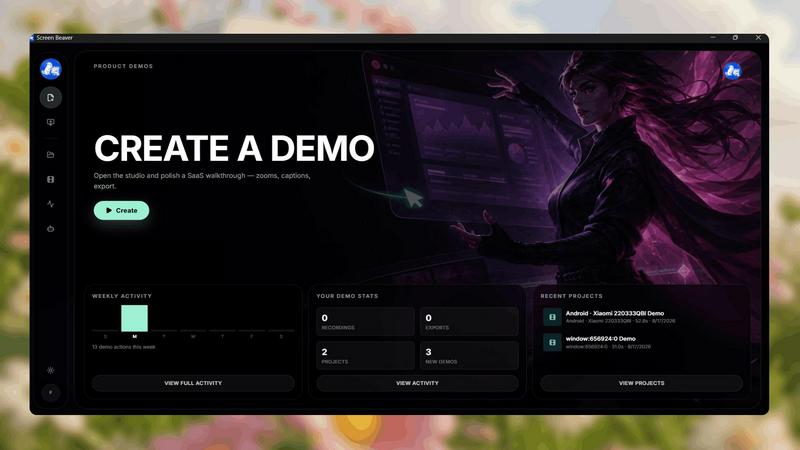
About Screen Beaver
Screen Beaver is a screen recorder built for creating product demos, walkthroughs, tutorials, and showcase videos.
You can use it just like a normal screen recorder: start recording, demonstrate your product, and create your video manually.
But Screen Beaver also works with MCP, allowing AI agents to control the recording workflow. Instead of manually clicking through your product every time you want to create a demo, you can let your AI agent interact with Screen Beaver and automate the recording process.
This makes Screen Beaver useful for developers, founders, and teams who want to create product videos faster and integrate screen recording into automated workflows.
Whether you want complete manual control or want your AI agent to handle the recording, Screen Beaver gives you both options.
Record it yourself. Or let your AI agent do it.
Explore more in this category:
Similar to Screen Beaver

FreeVideoGenerator
Free AI video generator: turn text prompts and photos into video clips with Sora 2, Veo 3.1, Wan and more. Free starter credits, no watermark download


Turbotools
Free online web tools: PDF converter, image compressor, word counter, text reverse, JSON formatter & generator. 100% free with no sign-ups!

Leadeon
AI growth tool for X and LinkedIn: write posts in your voice, schedule at your best times, find leads on X and see what works.

Artcraft AI
AI image and video studio in your browser: generate and edit images, turn photos into videos, edit clips by sentence.

ViewMax Studio
AI video generator that turns one prompt into shorts, UGC-style ads and faceless videos, with script, voiceover and captions included.

Gas Station Dance AI
Turn your photos into a viral gas station dance video with AI

ToonBee AI
ToonBee AI turns a script or a one-line idea into a narrated cartoon video, keeping the same character in every scene. 10+ styles, 16:9 or 9:16.