

Remove Handwriting
Effortlessly erase handwritten notes from images and PDFs while keeping your original content intact with our cutting-edge AI tool.
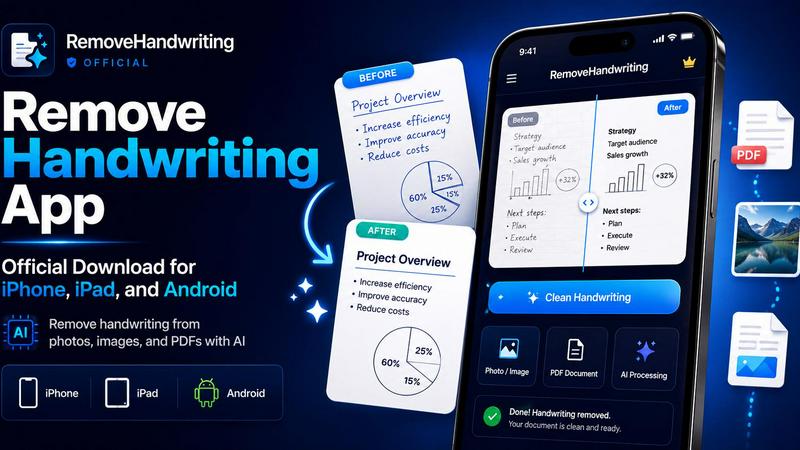
About Remove Handwriting
Remove Handwriting is your go-to AI-powered tool for effortlessly cleaning up images, PDFs, and scanned documents by erasing handwritten notes, annotations, and marks. Whether you’re a student looking to tidy up your exam papers, a professional needing clean contracts, or simply someone who wants to archive documents without the clutter of handwriting, this tool has got your back. It maintains the integrity of printed text, tables, and diagrams while swiftly eliminating unwanted handwriting. With its user-friendly interface available in your browser or as an app on iOS and Android, you can remove handwriting on the fly—no more fussing with complex software. Plus, you can try it for free without any credit card hassle. Experience advanced AI cleanup that enhances colors and delivers cleaner results in seconds!
Features of Remove Handwriting
AI Handwriting Removal
Our cutting-edge AI technology intelligently detects and removes handwritten notes, scribbles, and annotations from images and PDFs, ensuring that the original printed content remains unscathed. Whether it’s a scanned worksheet or a digital photo, this feature delivers fast, precise results.
Multi-format Support
Remove Handwriting supports a variety of formats including JPG, PNG, JPEG, and PDF. Whether you’re working with single images or multi-page PDFs, our tool provides tailored solutions to meet your needs, making it easy to process different document types without hassle.
Auto-Cropping and Page Detection
Automatically detect document edges and crop away irrelevant backgrounds like desk surfaces and scanner shadows. This feature ensures that the focus remains on the document itself, delivering a clean, professional-looking image ready for reuse or sharing.
Manual Processing for Complex Cases
For those tricky documents that require a little extra love, our manual processing option allows for careful handling of damaged pages or complex marks. This feature is perfect for users who need more control over the cleanup process and want to ensure every detail is addressed.
Use Cases of Remove Handwriting
Academic Document Cleanup
Students can effortlessly remove handwritten notes and corrections from exam papers and worksheets, resulting in pristine documents ready for submission or review. This ensures that only the essential printed material is highlighted, making it easier to focus on the content.
Professional Document Management
For professionals dealing with contracts, reports, and presentations, Remove Handwriting provides a streamlined way to eliminate annotations and edits, maintaining the document’s formal integrity. This tool ensures that the final version is polished and ready for clients or stakeholders.
Archiving and Preservation
Archivists and librarians can utilize this tool to clean up historical documents, removing modern handwriting while preserving original printed content. This keeps the integrity of the archives intact while making them more accessible and visually appealing.
Creative Projects and Design
Graphic designers and content creators can use Remove Handwriting to prepare documents and images for presentations or portfolios. By cleaning up images and ensuring a consistent look, this tool helps enhance the overall aesthetic and professionalism of creative work.
Frequently Asked Questions
How does Remove Handwriting work?
Remove Handwriting uses advanced AI algorithms to analyze images and documents, detecting and removing handwriting while preserving printed content. The process is automated for efficiency, yet allows for manual adjustments when needed.
Is there a limit on the number of documents I can process?
You can process multiple documents at once through our batch processing feature, making it easy to handle large workflows. However, for optimal performance, keep an eye on file sizes, especially with PDFs.
Can I use Remove Handwriting on mobile devices?
Absolutely! Remove Handwriting is available as an app on both iOS and Android, allowing you to clean up documents on the go. Just download it from the App Store or Google Play and start enhancing your documents instantly.
Do I need to create an account to use Remove Handwriting?
No, you can try Remove Handwriting for free without needing to enter any credit card details or create an account. Just jump right in and start cleaning up your documents hassle-free!
Explore more in this category:
Similar to Remove Handwriting

@fuck.it - email with attitude
Private email. Pure. Secure. Exclusive. No ads, no tracking, no data selling. GDPR compliant, EU-hosted.

xfiles
PDFs, images and audio. No uploads. No account. No added watermarks.

FreeVideoGenerator
Free AI video generator: turn text prompts and photos into video clips with Sora 2, Veo 3.1, Wan and more. Free starter credits, no watermark download


VidhyaGen - Image Converter
All-in-one web platform for fast image conversion, compression, editing, and essential digital file utilities in one easy interface.

Flip a Coin
Free online coin flip, yes/no, dice, spin wheel & random number tools. No signup, truly random, works instantly on any device.

sakuttoAI
A free suite of online tools for everyday tasks like PDF compression, image conversion, text diff and CSV to Excel.

Zalcro
The pre-build planning tool for vibe coders and AI builders. Start with a conversation about your idea, get paste-ready prompts for your coding tool