

PixelArt Converter
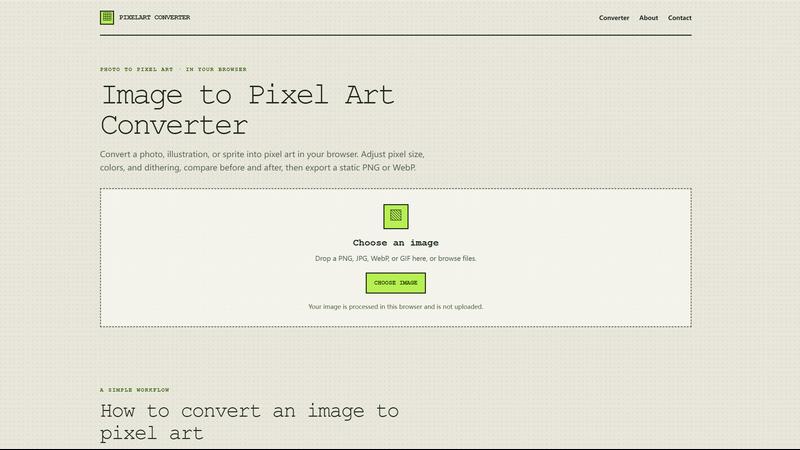
Convert photos, illustrations, or sprites to pixel art in your browser, with adjustable pixel size, palettes, dithering, and PNG or WebP export.
About PixelArt Converter
PixelArt Converter transforms an image you provide into a static pixel-art image in the browser. You can adjust the pixel grid, limit the number of colors, choose palettes such as Game Boy or PICO-8, and compare dithering patterns in a live preview. Brightness, contrast, and saturation controls provide additional ways to shape the result before export.
It is useful for turning a portrait, illustration, or sprite into a compact icon or game-style image. Fixed square canvas presets include 16 × 16, 32 × 32, and 64 × 64, while fit and crop options determine how the source sits in that square. Choose fit to retain the full image, with unused canvas areas left transparent, or crop to fill the canvas. Animated GIFs are accepted, but only the first frame is converted; exports are static PNG or WebP files.
Features of PixelArt Converter
- Browser-based image processing; the selected image is not uploaded
- Pixel grid, color count, palette, dithering, and tone controls
- 16 × 16, 32 × 32, and 64 × 64 canvas presets
- Pixel-size or enlarged PNG and WebP exports
Use Cases of PixelArt Converter
- Make a small sprite or icon from a photo or illustration.
- Try Game Boy or PICO-8 colors on an existing image.
- Compare dithering treatments before exporting pixel art.
- Create a static pixel-art version of the first frame of a GIF.
Frequently Asked Questions
Does it generate pixel art from a text prompt?
No. It transforms an image you provide; it does not generate a new image from text.
What happens to an animated GIF?
The converter processes only its first frame and exports a static PNG or WebP image.
How do fit and crop differ?
Fit keeps the full image visible and leaves unused canvas areas transparent. Crop fills the target canvas and trims excess from the center.
Explore more in this category:
Similar to PixelArt Converter

TattooStencilHub
TattooStencilHub combines AI tattoo design, photo-based skin previews, aging checks, tattoo removal previews, and printable stencil exports.

Seedream 5.5
Seedream 5.5 is an independent image creation and editing workspace for prompts, reference images, and adjustable output settings.

AI Photo Editor
Edit or create images by describing the result, with tools for cleanup, scene changes, portrait styles, and restoration.

Thridy
Find consistent 3D icons as transparent PNGs, with daily download limits and attribution on the free plan and paid upgrades.

LayerSplit
LayerSplit converts a flattened image into editable layers, rebuilding the background and exporting transparent PNGs or a layered PSD.

southparkmaker
Create a customizable South Park-inspired character with a live preview, then export the finished design as a PNG or SVG.

Knit Chart Maker
Knit Chart Maker lets knitters design colorwork charts, preview them in yarn, and check contrast and float lengths before knitting.

Metal Font Generator
Create dimensional metal lettering online, with adjustable finishes, depth, lighting, angle, and spacing for titles, covers, and design concepts.