

Pixal3D
Pixal3D instantly transforms your image into a pixel-aligned GLB 3D model with PBR textures and FBX motion, all in your browser.
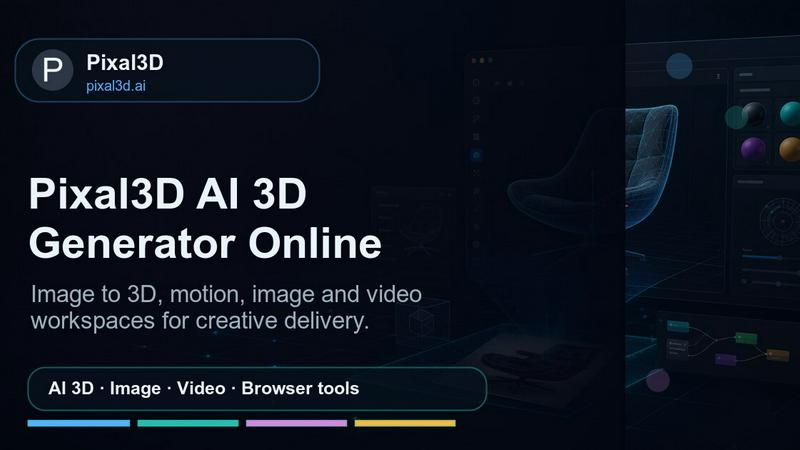
About Pixal3D
Pixal3D is the AI 3D generator that finally makes sense for creators, designers, and developers who are sick of wrestling with local setups and clunky pipelines. This isn't some half-baked novelty tool. Pixal3D is built for the real world, pumping out production-ready GLB models with pixel-perfect alignment and PBR textures straight from a single image or URL. No more spending hours on software installation or waiting for renders that look like melted plastic. You drop in a reference, and Pixal3D spits out a faithful 3D asset that actually respects the original image's silhouette, edges, and details. It runs entirely in your browser, hosted on Cloudflare, so you can access it anywhere, anytime. The platform is designed for product visualization, game prototyping, AR assets, character animation drafts, and design handoff workflows. It even includes a second lane for Trellis 2 reconstruction comparison, so you can pick the best result before you waste time cleaning up a dud. Plus, you get Hunyuan Motion for generating FBX character motion from text, making this a complete 3D asset factory. With account credits, saved task history, and downloadable outputs, Pixal3D is the no-BS solution for anyone who needs fast, reliable, and high-quality 3D assets without the headache.
Features of Pixal3D
Pixel-Aligned Image-to-GLB Generation
This is the core magic. Pixal3D uses a proprietary back-projection and texture recovery system to create GLB models that are pixel-aligned with your source image. That means the geometry and textures match the input with insane fidelity. You get a clean silhouette, sharp edges, and a model that looks like it was hand-crafted, not hallucinated by an algorithm. The system handles stylized characters, product objects, hard-surface assets, and more, all with a focus on maintaining the original image's integrity.
Dual Reconstruction Lane with Trellis 2 Comparison
Why settle for one option when you can have two? Pixal3D gives you a production path with its own saved GLB jobs and a separate Trellis 2 lane for an alternative reconstruction. You can run both, compare the results side-by-side, and choose the winner before you invest any time in cleanup or refinement. This feature alone saves you from the agony of discovering a bad mesh hours later. It's like having a second opinion baked right into the workflow.
Hunyuan Motion Text-to-FBX Animation
Pixal3D isn't just about static models. It also packs Hunyuan Motion, a text-to-motion engine that generates FBX character animations from simple text prompts. Describe the action you want, like a running cycle or a jumping attack, and the system creates a full motion sequence ready for your game engine or animation software. This turns Pixal3D into a one-stop shop for both assets and their movement, cutting out the need for separate animation tools.
Browser-Based 3D and Image Helper Tools
The workspace is loaded with free, browser-based tools that make the entire 3D pipeline smoother. You get a 3D Model Viewer for inspecting GLB, OBJ, STL, and FBX files, a GLB Inspector for checking structure and materials, a 3D Format Converter for quick file swaps, a Texture Checker for verifying GPU memory, and a Model Scale calculator for real-world dimensions. Plus, there are image helpers like an Image Compressor, Image Converter, and Transparent PNG Maker. All of this runs locally in your browser, so you never have to upload sensitive assets to a server.
Use Cases of Pixal3D
Product Visualization for E-Commerce
Drop a single product photo into Pixal3D and get a fully textured GLB model in minutes. Use it for 360-degree product views on your website, AR try-on experiences, or marketing materials. The pixel-aligned output ensures the 3D asset looks exactly like the real product, so customers know exactly what they're getting. No need for expensive photogrammetry rigs or 3D artists.
Game Prototyping and Asset Creation
Game developers can use Pixal3D to rapidly prototype characters, props, and environments. Upload concept art or reference images to generate low-poly GLB models that are ready to drop into Unity or Unreal. The Trellis 2 comparison lane lets you test different reconstruction settings to find the best balance of fidelity and polygon count for your engine. It's a massive time-saver for indie devs and studios alike.
AR Asset Generation for Marketing
Augmented reality campaigns need high-quality 3D assets that look good on any device. Pixal3D delivers GLB files that are optimized for AR platforms like WebXR, ARKit, and ARCore. The PBR textures ensure realistic lighting and reflections, while the pixel-aligned geometry keeps the model true to the original design. Upload a product image, generate the asset, and deploy it directly to your AR experience.
Character Animation Drafts and Pre-Visualization
For animators and storytellers, Pixal3D combined with Hunyuan Motion is a game-changer. Generate a character model from an image, then use text prompts to create a rough motion sequence for pre-visualization. This allows you to block out scenes and test character actions before investing in full production animation. It's perfect for storyboard artists, indie filmmakers, and game designers who need to iterate fast.
Frequently Asked Questions
What file formats does Pixal3D support for output?
The primary output format is GLB, which is a binary version of GLTF that includes the mesh, textures, and scene data in a single file. For animation, Pixal3D generates FBX files through the Hunyuan Motion feature. You can also use the built-in 3D Format Converter to convert GLB files to OBJ or STL if needed. The platform is focused on delivering production-ready assets that work seamlessly with game engines, 3D software, and AR tools.
How do the credits and pricing work?
Pixal3D operates on a credit-based system. After signing in, you receive an initial credit balance. Each generation task consumes a specific number of credits: Pixal3D image-to-GLB costs between 180 and 390 credits depending on the quality preset, Trellis 2 costs between 160 and 310 credits, and Hunyuan Motion text-to-FBX costs 60 credits. Credits are deducted when you run a job, and you can purchase more credits through the pricing plans. The exact pricing tiers are available on the Pricing page.
Can I use Pixal3D without signing in?
You can access the free browser-based tools and view the sample gallery without signing in, but to generate your own 3D models and save your task history, you need to create an account. Signing in also gives you access to your credit balance, downloadable outputs, and the ability to compare results in the dual reconstruction lane. The free tools are great for testing and preparation, but the core generation features require an account.
Is Pixal3D suitable for high-detail final assets?
Yes, absolutely. The platform offers three quality presets: Fast for quick shape checks, Balanced for default fidelity, and Detail for high-detail final review. The Detail preset uses a 2048 texture resolution and a target of 200,000 vertices, which is more than enough for professional product visualization, game assets, and AR applications. The pixel-aligned back-projection ensures that even complex textures and fine details are accurately transferred from the source image to the 3D model.
Pricing of Pixal3D
Pixal3D uses a credit-based pricing model. After signing in, you receive an initial credit balance. Each generation task consumes a specific number of credits: Pixal3D image-to-GLB costs between 180 and 390 credits depending on the quality preset, Trellis 2 costs between 160 and 310 credits, and Hunyuan Motion text-to-FBX costs 60 credits. You can purchase additional credit packs through the Pricing page on the website. The exact tier names and costs are displayed there, and they are designed to scale with your usage, from occasional creators to heavy production workloads.
Explore more in this category:
Similar to Pixal3D

screenRIG
Signage and kiosk infrastructure for AI agents. Your agent publishes images, video, streams, web pages and apps to screens via one plugin.screenRIG is

ImageGPT
ImageGPT is an all-in-one AI creative platform for generating, editing and transforming images and videos using AI.

AI Album Cover Maker
Create release-ready album covers from a prompt or photo. Generate, refine, and export art for singles, EPs, mixtapes, and playlists.

Remove Background Online
Free background remover that runs entirely in your browser — zero uploads, full resolution, no watermark. Your photos never leave your device.

Sprite Sheet Maker
A free browser-based toolkit for creating, cutting, converting, and previewing sprite sheet animations.


Sprite Sheet Maker
Create pixel-art sprite sheets from text with AI, preview animations, and export PNG assets for game prototypes.