

My Look Story
Preview hairstyles on your photo, create work-ready headshots, and use creative image tools in one studio.
About My Look Story
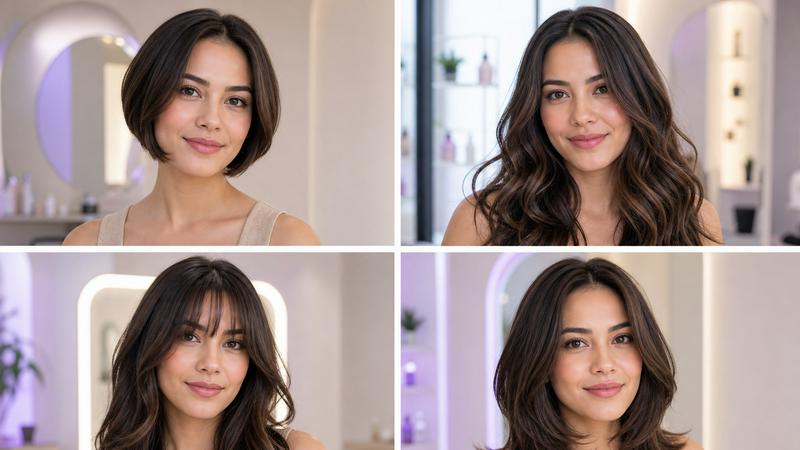
My Look Story brings hairstyle previews, professional headshots, and creative image tools together. Use AI hair design to explore directions shaped by your features and preferences, or choose a cut or color and preview it on your own photo. The headshot tool is intended for portraits used on CVs, work profiles, and team pages.
Creative tools extend beyond portraits: generate images from text or reference images, expand a crop, enhance clarity, remove backgrounds, apply photo filters, or turn photos and ideas into short videos. Signed-in users can revisit generations in their history. Generated images are previews, so check likeness, details, and suitability before sharing or relying on them.
Pick the tool that matches your goal
Use AI hair design when you want ideas; use hairstyle try-on when you already have a style in mind. A recent, sharp photo with one visible face and even light is a useful starting point. Hairline visibility can help with hairstyle previews, but results cannot predict how a haircut will behave with real hair texture or guarantee an exact likeness.
Features of My Look Story
- Preview a chosen hairstyle or color on your own photo.
- Generate hairstyle directions based on features and preferences.
- Create professional headshots and apply filters such as line art or storybook illustration.
- Generate, extend, enhance, or edit images, remove backgrounds, and create short videos.
Use Cases of My Look Story
- Compare hairstyle directions before discussing a cut or color.
- Make a portrait for a CV, work profile, or team page.
- Create product visuals, illustrations, or posters from text or references.
- Prepare transparent-background images or turn photos into illustrations.
Frequently Asked Questions
Which tool should I choose?
Use AI hair design for suggestions, hairstyle try-on for a cut or color you have chosen, and professional headshots for a work portrait.
Can AI guarantee that I will look exactly like the result?
No. Generated previews may change facial, hair, or clothing details. Review the image before using it.
Where can I find my creations?
Generations made while signed in appear in your creation history in the studio.
Pricing of My Look Story
Weekly Pro is $5.99 per week for 25 credits; Monthly Pro is $12.99 per month for 100 credits. Credit packs are also listed, but their prices are not provided in the evidence.
Similar to My Look Story

Seedream 5.5
Seedream 5.5 is an independent image creation and editing workspace for prompts, reference images, and adjustable output settings.

N33 AI
N33 AI brings chat with multiple AI models, live web search, file uploads, voice, and image and video generation into one workspace.

AI Photo Editor
Edit or create images by describing the result, with tools for cleanup, scene changes, portrait styles, and restoration.

AI Christmas Card
AI Christmas Card makes festive cards from family, couple, or pet photos, with custom scenes, greetings, and print-ready orientation choices.

Thridy
Find consistent 3D icons as transparent PNGs, with daily download limits and attribution on the free plan and paid upgrades.

LayerSplit
LayerSplit converts a flattened image into editable layers, rebuilding the background and exporting transparent PNGs or a layered PSD.


Knit Chart Maker
Knit Chart Maker lets knitters design colorwork charts, preview them in yarn, and check contrast and float lengths before knitting.