

Lupa AI Upscaler
Transform blurry images into stunning 4K visuals with Lupa AI Upscaler for crystal-clear results in seconds.
About Lupa AI Upscaler
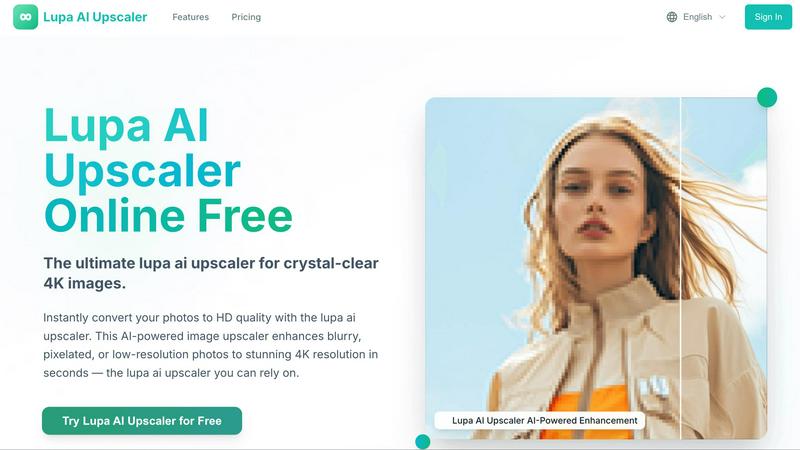
Say goodbye to the days of pixelated, blurry images dragging down your vibe. Lupa AI Upscaler is your ultimate digital photo transformation tool, designed to elevate those low-res, grainy images into stunning 4K masterpieces that pop with clarity and detail. Whether you are a creative hustler, a social media maven, a small business owner, or simply someone rediscovering old family photos, Lupa AI is engineered for you. This is not your typical resizing tool; it utilizes cutting-edge AI reconstruction to breathe new life into your visuals. Just upload any blurry JPG or PNG, and in mere seconds, watch your image morph into a high-definition gem that boasts insane sharpness, vivid colors, and detail that looks like it was shot with professional gear. No tech skills? No problem. With Lupa AI Upscaler, you get pure, AI-powered enhancement that’s as easy as drag-and-drop.
Features of Lupa AI Upscaler
AI-Powered Image Enhancement
Lupa AI Upscaler uses advanced AI algorithms to analyze and enhance your images. This means it removes blur, reduces noise, and recovers lost details, transforming your low-resolution photos into stunning high-definition masterpieces.
One-Click Upscaling
Experience instant HD conversion with just a single click. Lupa AI Upscaler delivers vibrant colors, sharp details, and clean outputs in seconds, making it perfect for quick enhancements across all your visual platforms.
Multiple Resolution Outputs
Choose from a range of output resolutions, including 1K, 2K, 4K, and even 8K. This flexibility allows you to select the perfect quality for your needs, whether for social media sharing, printing, or professional use.
Face Enhancement Feature
Take your portraits to the next level with the GFPGAN face enhancement feature. This tool specifically enhances facial features for a polished look, making your images not just clearer but also more appealing and lifelike.
Use Cases of Lupa AI Upscaler
Revamping Old Family Photos
Unearth those dusty old family photos and give them a fresh lease on life. Lupa AI Upscaler can enhance your cherished memories, making them clearer and more vibrant, perfect for sharing with the family.
Boosting Social Media Content
For social media influencers and content creators, having high-quality visuals is non-negotiable. Lupa AI Upscaler instantly upgrades your images, ensuring that every post grabs attention and stands out in crowded feeds.
Elevating Product Photography
Small business owners can showcase their products in stunning detail with Lupa AI Upscaler. Transform your low-res product shots into crisp, professional images that entice customers and drive sales.
Enhancing Event Photography
Whether it’s a wedding, a corporate event, or a birthday party, Lupa AI Upscaler turns blurry captures into frame-worthy images. Perfect for preserving those special moments in sharp, high-definition quality.
Frequently Asked Questions
How does Lupa AI Upscaler work?
Lupa AI Upscaler utilizes advanced artificial intelligence to analyze and reconstruct details in your images. It enhances resolution, sharpens details, and removes noise, delivering stunning high-definition results.
What file formats are supported?
Lupa AI Upscaler supports various file formats, including JPG, PNG, WEBP, JPEG, and BMP. You can upload images up to 10MB for instant processing.
Is my data safe with Lupa AI Upscaler?
Absolutely! Your creations are private and only visible to you. We prioritize user privacy and ensure that all uploaded images are securely handled.
Can I use Lupa AI Upscaler for commercial purposes?
Yes! Lupa AI Upscaler offers commercial-grade processing, making it perfect for business use, product photography, and high-quality printing. Enjoy professional results that elevate your brand.
Similar to Lupa AI Upscaler

Remove Background Online
Free background remover that runs entirely in your browser — zero uploads, full resolution, no watermark. Your photos never leave your device.

Sprite Sheet Maker
A free browser-based toolkit for creating, cutting, converting, and previewing sprite sheet animations.

Reduce Image Quality
Free browser-based tool that lowers image quality and shrinks JPG, PNG and WebP files. No upload, no signup, no watermark.

Image to Layers AI
用 AI 把任意一张平面图片拆成可编辑的透明图层(PNG/PSD)

Logofai
Logofai is an AI-powered brand design studio that transforms a single text prompt into a complete brand identity.

Retypewords
Edit the text. Keep the look. Our AI image editor helps you replace text in images while aiming to preserve the original style, layout, and background

PixRestorer
Restore and colorize old photos with AI in seconds. PixRestorer repairs scratches, fading, blur, and tears, brings black-and-white prints to life in n

Video2Jpg
Convert video to JPG, PNG, or WebP frames in your browser. High-quality video to image converter with no uploads—fast, private, and free.