
LinkedInPro
Transform your LinkedIn profile with stunning AI-generated headshots that radiate professionalism in seconds.
About LinkedInPro
LinkedInPro is the revolutionary tool that’s redefining how professionals present themselves in the digital world. Imagine turning your average selfies into jaw-dropping, studio-quality headshots in the blink of an eye. This AI-powered platform is designed for anyone who wants to up their professional game without emptying their wallet. Whether you’re a job seeker looking to land that dream role, an entrepreneur wanting to enhance your brand image, or just someone who wants to look sharp on LinkedIn, LinkedInPro is here to elevate your online presence. Forget the hassle of expensive photo shoots and complex editing software; LinkedInPro streamlines the entire process, making it accessible for all, with just a few clicks. With zero technical skills required, you can effortlessly upload photos and transform them into stunning images that truly reflect your personality. Say goodbye to mediocre images and hello to a stunning, professional identity that leaves a lasting impression.
Features of LinkedInPro
AI-Powered Transformations
Unlock the magic of advanced AI technology that analyzes your photos and enhances them to deliver eye-catching results. No more awkward poses or unflattering angles; LinkedInPro ensures you look your best by optimizing every detail, giving you that polished look effortlessly.
User-Friendly Interface
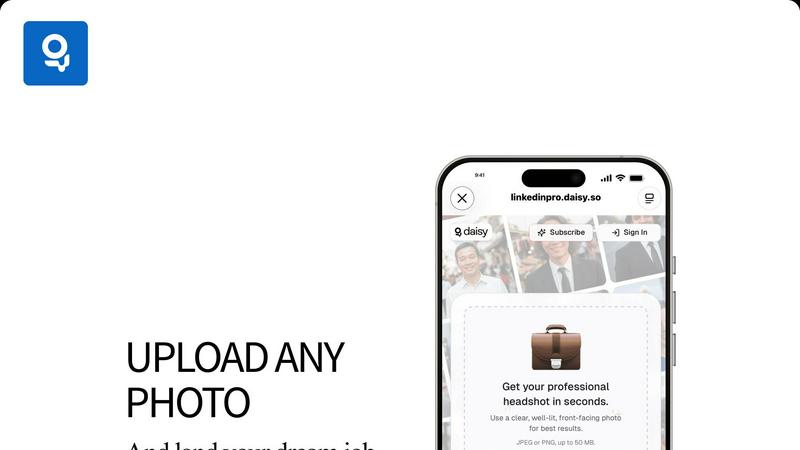
Navigating LinkedInPro is a breeze! The platform is designed with simplicity in mind, allowing anyone, regardless of tech-savviness, to upload their images and get professional headshots in seconds. Just a few clicks and you’re ready to shine!
Quick Turnaround Time
Need a fresh look for an interview tomorrow? LinkedInPro has got your back! Experience lightning-fast image processing that transforms your photos in mere seconds, so you can focus on what really matters—landing that job or impressing potential clients.
High-Quality Output
Say goodbye to pixelated or low-resolution images! LinkedInPro ensures that all headshots are of premium quality, supporting JPEG and PNG formats up to 50 MB. Your professional image deserves nothing less than crystal-clear perfection, and LinkedInPro delivers just that.
Use Cases of LinkedInPro
Job Seekers
In the competitive job market, first impressions count. LinkedInPro empowers job seekers to create stunning headshots that stand out on LinkedIn and other professional platforms, increasing their chances of being noticed by recruiters and employers.
Entrepreneurs
For entrepreneurs, a strong personal brand is key to attracting clients and investors. With LinkedInPro, business owners can easily generate professional images that convey credibility and professionalism, essential for networking and marketing efforts.
Social Media Influencers
Influencers need to maintain a polished image across various platforms. LinkedInPro provides influencers with high-quality headshots that enhance their profiles, helping them connect with their audience and establish authority in their niche.
Students and Recent Graduates
Students entering the job market can kickstart their professional journey with a captivating headshot. LinkedInPro helps recent grads create an impactful online presence, making them more appealing to potential employers and internship opportunities.
Frequently Asked Questions
How does LinkedInPro work?
LinkedInPro uses cutting-edge AI technology to analyze and enhance your uploaded photos, transforming them into professional-grade headshots in just seconds. Simply upload a clear, well-lit image, and watch the magic happen!
What types of images can I upload?
You can upload JPEG or PNG images, with a maximum file size of 50 MB. For the best results, ensure your photo is clear, well-lit, and front-facing to capture your best angle.
Is LinkedInPro secure and private?
Absolutely! LinkedInPro prioritizes your privacy and data security. They implement robust security measures to ensure your images and information are kept confidential and not shared without your consent.
Can I use LinkedInPro for other social media platforms?
Yes! While LinkedInPro specializes in professional headshots, the high-quality images you create can be used across various social media platforms, personal websites, and resumes. Elevate your online presence everywhere!
Explore more in this category:
Similar to LinkedInPro

AI Email Filter
AI Email Filter sorts incoming mail into folders using plain-language prompts you write. Works with any IMAP mailbox; bring your own LLM if you want.

Remove Background Online
Free background remover that runs entirely in your browser — zero uploads, full resolution, no watermark. Your photos never leave your device.

Memwyre
Memwyre is an AI memory platform that gives every AI tool, agent, and conversation a persistent, shared memory you can search and reuse.

Sprite Sheet Maker
A free browser-based toolkit for creating, cutting, converting, and previewing sprite sheet animations.

Kody Tools
Free collection of online developer utilities, code formatters, and digital converters designed to streamline your daily workflow.

Map to GPS
Free GPX generator — draw a route on a map in your browser.

Sprite Sheet Maker
Create pixel-art sprite sheets from text with AI, preview animations, and export PNG assets for game prototypes.

HomeAnswerBook
Practical, independent guides to home repairs, maintenance, costs, troubleshooting, and everyday fixes.