

Groupify
Groupify transforms your YouTube experience by organizing subscriptions into custom groups for seamless sharing and.
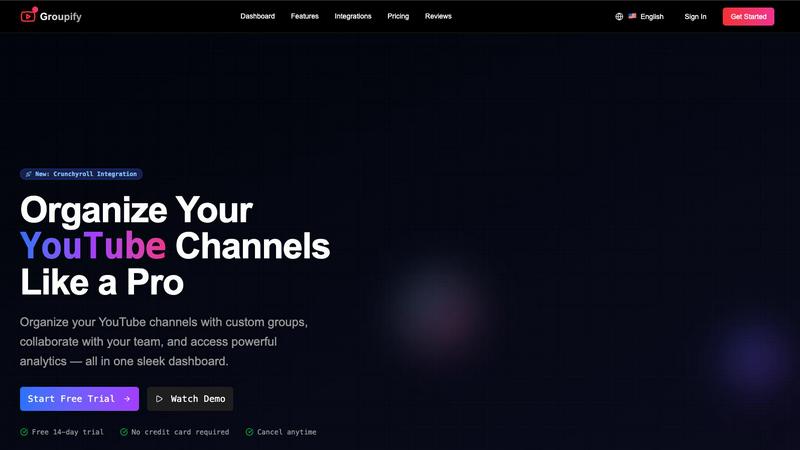
About Groupify
Get ready to elevate your YouTube game with Groupify, the ultimate browser extension that transforms your chaotic subscription feed into a highly organized command center. Designed for content creators, teams, and avid YouTube enthusiasts, Groupify allows you to seamlessly manage your favorite channels with a sleek and intuitive dashboard. No more scrolling through endless videos; Groupify empowers you to create custom, hierarchical groups, making it easy to categorize everything from tech reviews to cooking tutorials. With features that include real-time analytics, collaborative tools, and easy access directly from YouTube, this tool is a powerhouse for anyone serious about their content consumption. Whether you are a creator managing multiple channels or part of a team collaborating on industry insights, Groupify gives you the control you need to enjoy your subscriptions like never before.
Features of Groupify
Smart Organization
Groupify lets you unleash your inner organizer by creating unlimited groups with custom categories. You can nest groups within groups for ultimate flexibility, ensuring that your YouTube subscriptions are sorted just the way you want them. This smart organization feature lets you keep your gaming channels separate from your educational ones, making it easier to find exactly what you're in the mood for.
Share & Collaborate
With Groupify, sharing your organized collections is a breeze. Generate shareable links that allow others to view or copy your groups. This is perfect for content creators, marketing teams, and communities looking to share valuable insights without the clutter. No more back-and-forth over what channels to follow; collaboration has never been easier.
Team Permissions
Take control of your team's access with granular permissions in Groupify. You can assign roles such as view-only, editor, or admin, ensuring that everyone in your team has the right level of access to manage your groups effectively. This feature is crucial for agencies and teams that need to collaborate while maintaining control over their content strategy.
Bulk Operations
Don’t let time-consuming tasks bog you down. Groupify’s bulk operations feature allows you to perform powerful batch actions, letting you add, remove, or move multiple channels across groups in seconds. This means you can focus more on creating and less on organizing, streamlining your workflow effortlessly.
Use Cases of Groupify
Content Creator Management
If you're a content creator juggling multiple channels, Groupify is your best friend. Use it to organize your subscriptions into categories like "Inspiration," "Research," and "Networking," so you can easily access what you need to stay on top of your game. Managing content has never been so straightforward.
Team Collaboration
Marketing teams can benefit massively from Groupify by using its collaborative features to share curated groups of channels that provide industry insights. This allows teams to quickly catch up on the latest trends and competitor strategies without getting lost in the noise of YouTube’s algorithm.
Personal Viewing Experience
For the casual viewer, Groupify is a game-changer. Create personalized groups based on your interests, whether it's cooking, gaming, or tech. Now you can dive into content that truly resonates with you, making your viewing experience more enjoyable and tailored.
Agency Client Management
Agencies managing multiple clients can leverage Groupify to keep track of various client accounts and their associated channels. You can create distinct groups for each client, ensuring that you can easily access and analyze their performance without any mix-up, thereby enhancing your client service.
Frequently Asked Questions
How does Groupify help organize my YouTube subscriptions?
Groupify allows you to create custom groups and categories to organize your subscriptions. You can nest groups for ultimate flexibility, making it easy to find content when you need it.
Can I collaborate with my team using Groupify?
Absolutely! Groupify includes features that let you generate shareable links for your groups, making collaboration seamless. You can also assign different permission levels to manage what your team can do.
Is there a limit to how many channels I can manage?
With the Pro plan, you can manage up to 1,000 channels, while the Business plan offers unlimited channels. This means you can grow your content library without worrying about hitting a cap.
What devices can I use Groupify on?
Groupify works across all devices with its web app and browser extensions available for Chrome, Firefox, and Safari. This means you can access your organized channels anytime, anywhere!
Explore more in this category:
Similar to Groupify

AI Email Filter
AI Email Filter sorts incoming mail into folders using plain-language prompts you write. Works with any IMAP mailbox; bring your own LLM if you want.

Memwyre
Memwyre is an AI memory platform that gives every AI tool, agent, and conversation a persistent, shared memory you can search and reuse.

Kody Tools
Free collection of online developer utilities, code formatters, and digital converters designed to streamline your daily workflow.

Map to GPS
Free GPX generator — draw a route on a map in your browser.

HomeAnswerBook
Practical, independent guides to home repairs, maintenance, costs, troubleshooting, and everyday fixes.

TryKlingAI
Kling AI video generation with text, image, motion, audio, and API workflows.

BlazePDF
Highlight faster. Study in flow with custom shortcuts and a workflow built around you. Print smarter, or turn any page into a tiled poster.
