

About ClipUtils
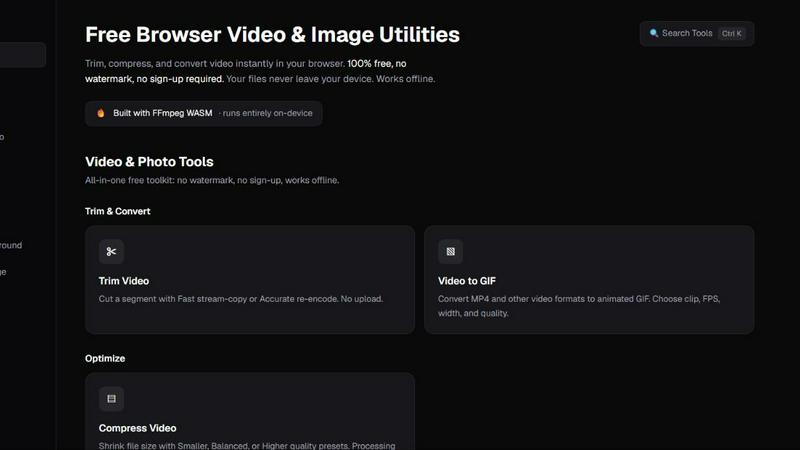
ClipUtils is a free toolkit of privacy-first media tools that run entirely in your browser. Nothing to install, no account, no watermark — and unlike most online tools, your files are never uploaded to a server. Every conversion happens on your own device.
The toolkit covers both video and images:
• Video — trim clips, compress file size, and convert video to GIF
• Images — convert iPhone HEIC photos to JPG/PNG, batch-compress JPG/PNG/WebP, resize by pixels or percentage, and hit an exact file-size target (e.g. under 100 KB) for job-application and government portals
• AI Background Remover — cuts out subjects entirely on-device, free and unlimited, where alternatives upload your photo and charge per image
It's powered by WebAssembly (FFmpeg and libheif) plus an in-browser AI model, so heavy media processing runs locally at no cost to your privacy. That makes ClipUtils a genuinely private alternative to upload-based tools like TinyPNG, remove.bg, and iLoveIMG — ideal for anyone handling personal photos, IDs, signatures, or sensitive documents.
Explore more in this category:
Similar to ClipUtils

Zipic
Native image compression for Mac and Windows (Windows beta), with a local CLI and AI skill for automated image workflows.

Free Meme Video Generator
Create AI video memes from photos, clips or text prompts. Free credits to start.

Selzee
Selzee is an AI ad generator that finds winning ads right now and recreates them for your brand, with your products, logo, fonts and colours.

RestoreOldPhoto
Restore old photos with RestoreOldPhoto.ai: repair scratches, creases and fading, sharpen faces and details, and optionally colorize family memories.

Demo Editor
Paste your product's URL and get a promo video with voice-over and music, cut from your real site.

AIVideoAgent
Turn text ideas or reference images into videos through conversation, with agent-assisted prompts and a choice of video models.

Save X post
The easiest way to save X videos offline: no app to install and no account to create. Paste the link, choose HD or 4K, and the MP4 is yours.

AI Rap
AI rap generator that turns two portraits, or one photo of two people, into a short English duet rap video with original lyrics, vocals, and music.