

Budgeting App
Walleta is your all-in-one budgeting app that scans receipts, tracks expenses, and helps you stay on top of your spending effortlessly.
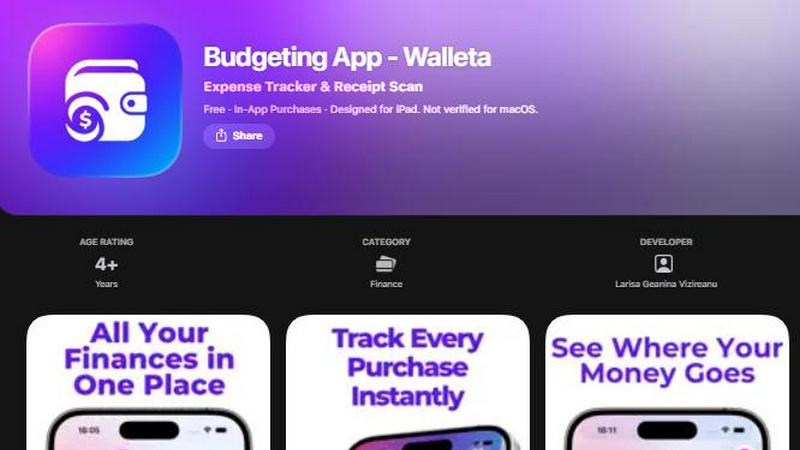
About Budgeting App
Budgeting App is your go-to financial sidekick, specifically designed for iOS users who want to take control of their finances without the hassle of bank links and sign-ups. It’s not just another budgeting tool; it’s an all-in-one expense tracker and smart planner that lets you scan receipts, set monthly budgets, and analyze spending habits—all while keeping your financial data completely private. Perfect for students, travelers, and anyone seeking to maintain financial independence, Budgeting App empowers you to log expenses quickly without the clutter of complex interfaces. With features like real-time budget tracking, category analytics, and stunning visualizations, it transforms budgeting from a chore into a breeze. Say goodbye to juggling multiple apps and hello to a seamless financial experience that fits right in your pocket.
Features of Budgeting App
AI Receipt Scanning
With just a snap, Walleta’s on-device AI scans your receipts and extracts crucial details like merchant name, total cost, date, and category. No more tedious manual entries—just capture, verify, and save in seconds! Free users enjoy three AI scans, while Walleta Pro grants unlimited access to this game-changing feature.
One-Tap Expense Logging
Log your spending in a flash with Walleta's one-tap logging feature. Choose from 14 easy categories such as food, groceries, transport, and more. This slick functionality ensures you can keep track of where every dollar is going without the headache of complicated inputs.
Monthly Budget Monitoring
Set a spending limit and watch your financial health in real-time. Walleta keeps an eye on your budget, sending alerts when you approach or exceed your limits. This proactive feature helps you make smarter spending decisions and avoid the dreaded overspending trap.
Comprehensive Analytics
Dive deep into your financial habits with beautiful visual analytics. Walleta offers pie charts, bar graphs, and spending summaries for weekly, monthly, and yearly periods. This feature allows you to visualize your spending patterns and make informed decisions about your budget.
Use Cases of Budgeting App
For the Avid Traveler
Traveling can wreak havoc on your budget, but Walleta keeps you in check. Use the app to log expenses in different currencies, ensuring you stay on budget while exploring new places. No more guessing how much you’ve spent—track every dollar effortlessly.
For Students on a Tight Budget
College life is all about managing limited funds. Walleta empowers students to set budgets for necessities like food, rent, and bills, helping them avoid overspending on non-essentials. Take control of your finances and focus on your studies instead of stressing about money.
For Privacy-Conscious Users
In a world of data breaches, Walleta prioritizes your privacy. Without any bank connections or cloud sync, all your financial data stays on your device. Enjoy peace of mind knowing that your spending habits are secure and only accessible by you.
For Families Managing Household Expenses
Budgeting for a family can be a juggling act. Walleta simplifies this process by allowing parents to categorize expenses and monitor monthly budgets easily. Keep track of everything from groceries to kids' activities, ensuring your family stays financially healthy.
Frequently Asked Questions
How does the AI receipt scanning work?
The AI scanning feature uses advanced technology to read receipt details such as merchant, total, date, and category. Simply snap a photo, verify the information, and save it to your expense log.
Can I use Walleta without linking my bank account?
Absolutely! Walleta is designed for users who prefer not to link their bank accounts. You can manually log expenses and track your budget without any bank connections or cloud sync.
What happens if my receipt is faded or unclear?
If a receipt is hard to read, the AI may struggle to extract details accurately. In such cases, you can use manual entry to log expenses. Always verify the scanned details before saving.
Is Walleta suitable for business accounting?
While Walleta excels as a personal budgeting tool, it is not designed for tax, investment, or business accounting purposes. It's best suited for personal finance management and everyday expense tracking.
Similar to Budgeting App

Tapetide
AI-first stock research for India. Ask TapeAi about any NSE or BSE stock, or connect Claude, ChatGPT and Cursor to Tapetide's MCP server.


EasyW9Form
Free online tools for tax forms, invoices, and business paperwork for freelancers, contractors, LLCs, and small businesses.

SubKeep
Subkeep helps you track recurring expenses, renewals, and SaaS costs in one place without bank access or automated tracking.

xpenser
xpenser is a free open-source personal finance tracker with MCP access and automatic transactions input from invoice scans or bank app screenshots.

CartLens
CartLens scans your receipts and price tags to instantly reveal if you overpaid and where to find cheaper prices nearby.

Scan2Sheet
Turn your receipt chaos into spreadsheet gold with AI scans that sync instantly to Google Sheets.
