
BWConverter vs Facejam
Side-by-side comparison to help you choose the right AI tool.

BWConverter
Transform your images into striking black and white art with BWConverter's fast, private, and professional online tool.
Last updated: February 26, 2026

Facejam
Transform your selfies into stunning, professional headshots in minutes with Facejam’s AI magic.
Last updated: February 28, 2026
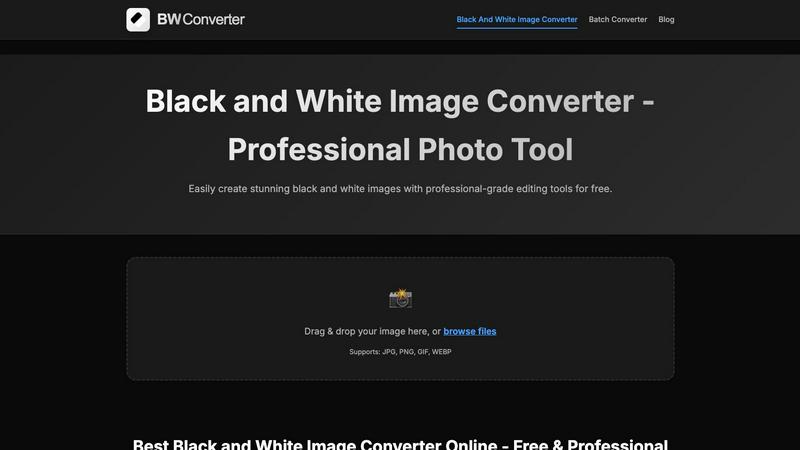
Visual Comparison
BWConverter
Facejam

Feature Comparison
BWConverter
Channel Mixing
Channel Mixing is where the magic happens. Instead of just desaturating your colors, BWConverter lets you control how Red, Green, and Blue channels translate to greyscale values. This means you can darken skies, brighten skin tones, or give your images that edgy vibe that sets them apart.
Smart Presets
Kickstart your editing process with BWConverter's Smart Presets. With one click, you can apply styles like "High Contrast," "Matte," and "Classic Film" to your images. These presets are designed to reflect professional darkroom aesthetics, helping you achieve that perfect look without extensive tweaking.
Batch Conversion
Got a whole folder of images to convert? No problem! BWConverter’s Batch Converter allows you to process multiple photos simultaneously. Drag and drop an entire batch, apply your chosen presets, and watch as your images transform into cohesive monochrome masterpieces in no time.
Client-Side Processing
Forget about waiting for uploads and downloads—BWConverter processes everything right in your browser using WebAssembly technology. This means your images are handled by your device's CPU/GPU, ensuring maximum speed and privacy. No data leaves your device, giving you total peace of mind.
Facejam
100+ Professional Styles
FaceJam boasts an extensive library of over 100 professional styles that cater to various industries. Whether you’re in tech, law, real estate, or the creative sector, you can swiftly find the perfect look that aligns with your professional persona. No more generic headshots—just tailored styles that help you stand out in your field.
Realistic Results
Forget about those typical AI-generated images that scream "fake." FaceJam delivers headshots that look like they've been captured by a pro photographer. With advanced AI technology, your selfies are transformed into authentic-looking portraits, ensuring you always put your best face forward.
Quick and Easy Process
Time is money, and FaceJam knows it. The headshot generation process is a breeze—upload your selfies, select your desired template, and voilà! Your polished images are ready for download in minutes. No need for scheduling, commuting, or waiting for edits. Get your headshots when you need them!
Complete Ownership and Privacy
Your uploaded photos are your business, and FaceJam respects that. You maintain full ownership of your AI-generated images, including commercial rights. Plus, the platform ensures your photos are kept private and secure, so you can create without worrying about your data being misused.
Use Cases
BWConverter
Professional Photography
Photographers can take their portfolio to the next level by converting colorful shots into eye-catching black and white images. Whether it’s a dramatic portrait or a serene landscape, BWConverter helps create timeless pieces that resonate with viewers.
Graphic Design
Graphic designers often need to prepare logos and icons for various uses. BWConverter's specialized tools enable them to convert logos into pure black or white versions, making it easy to create watermarks or design elements that stand out against any background.
Social Media Content
For influencers and brands, creating engaging content is key. BWConverter allows users to quickly convert images for use on platforms like Instagram, where striking black and white visuals can increase engagement and give a unique, artistic flair to posts.
Marketing Campaigns
If you're managing a marketing campaign, BWConverter’s Batch Converter is a game changer. You can convert all your promotional images to black and white in one go, ensuring brand consistency while saving time and effort in the editing process.
Facejam
LinkedIn Profiles
Level up your LinkedIn game with stunning headshots that scream professionalism. FaceJam provides you with high-quality images that can significantly enhance your profile, making you more appealing to recruiters and potential connections. Your first impression matters—make it count!
Corporate Team Pages
Need to showcase your team? FaceJam is perfect for generating consistent and polished corporate headshots for your entire staff. Create a cohesive look across your company’s website and promotional materials, giving off an image of professionalism and unity.
Personal Branding
Whether you're a freelancer, entrepreneur, or influencer, FaceJam helps you build a compelling personal brand. Use your new headshots across your website, social media, and portfolio to create a consistent and professional image that resonates with your audience.
Job Applications
Ditch the old mugshots and elevate your job applications with sleek, professional headshots. FaceJam allows you to create eye-catching images that can make your resume stand out in a crowded job market. Impress potential employers with a polished presentation!
Overview
About BWConverter
BWConverter is the ultimate online tool for transforming your colorful images into stunning black and white works of art. Designed for photographers, graphic designers, and anyone with a creative spark, this free online converter takes the hassle out of image editing. With BWConverter, you can elevate your visuals with a timeless monochrome twist that captures attention and emotion. It doesn't just convert; it empowers you with professional-grade features that allow for fine-tuning of tones and contrasts. Whether you're converting breathtaking landscapes, striking portraits, or crisp logos, BWConverter ensures your monochrome images are anything but dull. Enjoy the freedom of processing images directly in your browser—no uploads mean maximum privacy and instant results. Supporting a variety of formats like JPG, PNG, GIF, and WEBP, BWConverter is your one-stop shop for all things black and white. Say goodbye to lackluster greyscale images and hello to a world of depth and character that only black and white can deliver.
About Facejam
FaceJam is revolutionizing the way we capture our best selves, turning your selfies into jaw-dropping, studio-quality headshots in just minutes. Gone are the days of shelling out hundreds of dollars for a professional photographer or enduring awkward photo sessions. With FaceJam, all you need are a few selfies and a vision of your ideal look. Choose from over 50 stunning styles tailored for various industries, whether you're a realtor ready to make a splash or a creative looking to showcase your personality. The platform is designed for anyone who wants to enhance their professional presence effortlessly, from LinkedIn profiles to corporate team pages. With its slick interface and impressive technology, FaceJam ensures you radiate professionalism and charisma without breaking a sweat. Say goodbye to traditional methods and hello to a new era of self-presentation!
Frequently Asked Questions
BWConverter FAQ
How do I convert an image to black and white?
Simply upload your image, choose a preset that fits your style, and hit download. BWConverter analyzes the color data, applying channel mixing for rich, nuanced black and white images in under a minute.
Can I convert logos with transparent backgrounds?
Absolutely! Use our Logo Converter, which supports PNG and SVG formats to preserve transparency while converting your logos into pure black or white.
Can I make multiple photos black and white at once?
Yes, you can! Head to the batch converter feature, drop in a full folder of images, and apply your desired preset to all of them simultaneously. It’s that easy!
How do I turn a picture black and white online?
Just drag your image into the browser-based editor, tweak the sliders to your liking, and hit export. No downloads or signups are required for seamless black and white conversion online with full control over your images.
Facejam FAQ
How does your AI headshot generator work?
FaceJam operates in two simple steps: upload your selfies, and choose your preferred template. The platform then uses advanced AI to create stunning headshots tailored to your specifications, making it super easy for anyone to get professional results.
What do you do with my uploaded photos?
Your uploaded photos are exclusively used to teach the AI what you look like, ensuring the generated images are personalized. FaceJam guarantees that your photos will never be used to improve their model or shared with others, maintaining your privacy.
How many good photos can I expect?
FaceJam promises at least one high-quality image in every pack you generate. Depending on the quality of the selfies you provide, many users report getting 5-10+ fantastic images. The better your input, the more stunning your output will be!
Who owns my AI photos?
You retain full ownership of your AI-generated photos. FaceJam grants you a complete commercial license, allowing you to use them freely for your branding, promotions, or any other purpose without restrictions. Your images, your rules!
Alternatives
BWConverter Alternatives
BWConverter is a cutting-edge online tool designed to transform your colorful images into striking black and white works of art. As part of the image and photo category, it stands out with its privacy-first approach, making it a favorite among photographers and creatives alike. However, users often seek alternatives due to various reasons such as pricing limitations, the need for specific features, or compatibility with different platforms. When hunting for an alternative, consider what features matter most to you, like advanced editing controls, batch processing capabilities, or image format support. It’s essential to find a tool that not only meets your technical requirements but also fits your workflow seamlessly, ensuring a smooth and satisfying editing experience.
Facejam Alternatives
Facejam is the AI-powered sidekick that transforms your casual selfies into pro-level headshots in minutes. It lives in the booming world of AI photo and image enhancement tools, a category that's all about giving you a digital glow-up without the hassle of a studio. But let's keep it real—no single app is the perfect fit for everyone. Maybe the price tag has you side-eyeing your budget, or you're craving a specific style or feature that's just not on the menu. Perhaps you need headshots for your whole squad and the platform doesn't play nice with teams. It's all about finding the right vibe for your needs and wallet. When you're hunting for a different option, you gotta know what's non-negotiable. Peep the quality of the AI magic—does it look legit or like a bad filter? Scope out the style library's depth and see if it matches your industry's energy. Don't sleep on the upload and generation process; your time is precious. And always, always check the fine print on pricing and how they handle your photos.