AI Photo Generator vs BWConverter
Side-by-side comparison to help you choose the right AI tool.

AI Photo Generator
Generate stunning, photorealistic AI photos from text or your own images, no skills needed.
Last updated: March 11, 2026

BWConverter
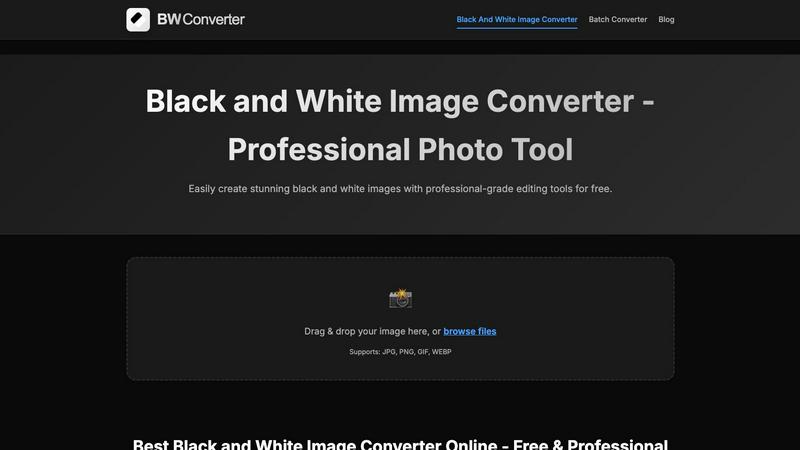
Transform your images into striking black and white art with BWConverter's fast, private, and professional online tool.
Last updated: February 26, 2026
Visual Comparison
AI Photo Generator

BWConverter
Feature Comparison
AI Photo Generator
Prompt-to-Masterpiece Engine
Our AI doesn't just listen; it gets you. Feed it natural language describing your scene—think "a cyberpunk samurai in neon rain, cinematic lighting"—and watch as it nails the lighting, composition, and minute details. It's tuned for high fidelity, turning your words into visuals that are ready for prime time, no endless rerolls needed.
Infinite Style Library & Model Hub
Why settle for one look? Dive into a massive library of aesthetic presets, from hyper-realistic photography and vibrant anime to classic oil paintings and futuristic 3D renders. Even better, choose from top-tier AI models like Flux, Ideogram, and SDXL directly in the workflow to match the perfect engine to your project's style and speed needs.
Seamless Photo Transformation
Got a basic photo? Let's transform it. Upload any image—a simple selfie, a product shot—and use text commands to restyle it completely. Turn that selfie into a professional headshot, change the background, or reimagine it as an epic movie poster. It’s the ultimate control for editing and ideation without starting from scratch.
Lightning-Fast Cloud Processing
Forget waiting ages for renders. Our optimized cloud architecture is built for speed, generating high-res images in seconds, not minutes. This means faster iteration, quicker A/B testing for campaigns, and more time creating instead of waiting. Speed is a feature, and we've got it on turbo.
BWConverter
Channel Mixing
Channel Mixing is where the magic happens. Instead of just desaturating your colors, BWConverter lets you control how Red, Green, and Blue channels translate to greyscale values. This means you can darken skies, brighten skin tones, or give your images that edgy vibe that sets them apart.
Smart Presets
Kickstart your editing process with BWConverter's Smart Presets. With one click, you can apply styles like "High Contrast," "Matte," and "Classic Film" to your images. These presets are designed to reflect professional darkroom aesthetics, helping you achieve that perfect look without extensive tweaking.
Batch Conversion
Got a whole folder of images to convert? No problem! BWConverter’s Batch Converter allows you to process multiple photos simultaneously. Drag and drop an entire batch, apply your chosen presets, and watch as your images transform into cohesive monochrome masterpieces in no time.
Client-Side Processing
Forget about waiting for uploads and downloads—BWConverter processes everything right in your browser using WebAssembly technology. This means your images are handled by your device's CPU/GPU, ensuring maximum speed and privacy. No data leaves your device, giving you total peace of mind.
Use Cases
AI Photo Generator
Content Creation & Social Media
Craft unique, eye-catching, and copyright-free visuals for YouTube thumbnails, Instagram stories, and TikTok clips in minutes. Stand out in crowded feeds with custom-generated art that perfectly captures your video's vibe, ensuring your content pops and your brand stays fresh.
Marketing & Advertising Assets
Empower marketing teams and entrepreneurs to produce stunning, on-brand visuals for digital ads, website banners, email campaigns, and presentations without blowing the budget on stock photos or designers. Generate perfect product scenes and campaign visuals for rapid testing and deployment.
Professional Branding & Portraits
Generate profile-ready, consistent headshots and character visuals for personal brands, team pages, and professional networks. Use the AI Face Generator workflow to build a library of on-brand portraits without the cost and hassle of a photoshoot.
Design & Ecommerce Visuals
Create realistic product photography, lifestyle shots, and botanical imagery for ecommerce sites, print materials, and design mockups. Generate perfect plant photos or scene expansions to fill catalogs and marketing materials with high-quality, bespoke imagery.
BWConverter
Professional Photography
Photographers can take their portfolio to the next level by converting colorful shots into eye-catching black and white images. Whether it’s a dramatic portrait or a serene landscape, BWConverter helps create timeless pieces that resonate with viewers.
Graphic Design
Graphic designers often need to prepare logos and icons for various uses. BWConverter's specialized tools enable them to convert logos into pure black or white versions, making it easy to create watermarks or design elements that stand out against any background.
Social Media Content
For influencers and brands, creating engaging content is key. BWConverter allows users to quickly convert images for use on platforms like Instagram, where striking black and white visuals can increase engagement and give a unique, artistic flair to posts.
Marketing Campaigns
If you're managing a marketing campaign, BWConverter’s Batch Converter is a game changer. You can convert all your promotional images to black and white in one go, ensuring brand consistency while saving time and effort in the editing process.
Overview
About AI Photo Generator
Stop dreaming about visuals and start creating them. AI Photo Generator (aiphotogenerator.dev) is your all-access pass to professional-grade digital art, powered by cutting-edge neural networks. This isn't just another toy; it's a production-ready creative suite that demolishes the barrier between your wildest ideas and stunning visual reality. Whether you're typing a detailed text prompt or uploading a photo for a glow-up, our platform delivers photorealistic results, cinematic scenes, or any artistic style you can imagine—in seconds. Built for the fast-paced creator, it turns anyone into a design powerhouse without needing a single technical skill. From solo content creators crafting viral thumbnails to marketing teams pumping out ad assets on a deadline, this tool is the secret weapon for generating copyright-free, jaw-dropping visuals that actually match your vision. Get ready to generate, edit, and dominate.
About BWConverter
BWConverter is the ultimate online tool for transforming your colorful images into stunning black and white works of art. Designed for photographers, graphic designers, and anyone with a creative spark, this free online converter takes the hassle out of image editing. With BWConverter, you can elevate your visuals with a timeless monochrome twist that captures attention and emotion. It doesn't just convert; it empowers you with professional-grade features that allow for fine-tuning of tones and contrasts. Whether you're converting breathtaking landscapes, striking portraits, or crisp logos, BWConverter ensures your monochrome images are anything but dull. Enjoy the freedom of processing images directly in your browser—no uploads mean maximum privacy and instant results. Supporting a variety of formats like JPG, PNG, GIF, and WEBP, BWConverter is your one-stop shop for all things black and white. Say goodbye to lackluster greyscale images and hello to a world of depth and character that only black and white can deliver.
Frequently Asked Questions
AI Photo Generator FAQ
Is there a free plan to try it out?
Absolutely. You can start generating for free with our entry-level plan. It's the perfect way to test the workflow, experiment with prompts, and see the quality firsthand before committing any funds. No design skills or credit card are required to begin.
Can I use the generated images for commercial projects?
Yes, you own the output. Images generated on our platform are cleared for commercial use, so you can confidently use them in client work, advertising campaigns, merchandise, and social media without worrying about copyright strikes.
How does the Image-to-Image feature work?
Simply upload a reference photo. The AI uses it as a structural and stylistic baseline. Then, you instruct it with text on what to change—like "make it sunset," "add a cat," or "change the style to watercolor." It regenerates the image based on your edits while preserving the core composition.
What makes your generator faster than others?
We built our infrastructure from the ground up for speed, leveraging optimized cloud processing and direct access to efficient AI models. This eliminates the long queues and slow renders common on other platforms, delivering your results in seconds for a seamless, iterative creative process.
BWConverter FAQ
How do I convert an image to black and white?
Simply upload your image, choose a preset that fits your style, and hit download. BWConverter analyzes the color data, applying channel mixing for rich, nuanced black and white images in under a minute.
Can I convert logos with transparent backgrounds?
Absolutely! Use our Logo Converter, which supports PNG and SVG formats to preserve transparency while converting your logos into pure black or white.
Can I make multiple photos black and white at once?
Yes, you can! Head to the batch converter feature, drop in a full folder of images, and apply your desired preset to all of them simultaneously. It’s that easy!
How do I turn a picture black and white online?
Just drag your image into the browser-based editor, tweak the sliders to your liking, and hit export. No downloads or signups are required for seamless black and white conversion online with full control over your images.
Alternatives
AI Photo Generator Alternatives
AI Photo Generator is a powerhouse in the AI image creation space, a tool that lets you conjure up professional visuals from simple text or photos. It's the go-to for creators who want to skip the learning curve and get straight to generating stunning, copyright-free art in seconds. But let's keep it real—no single tool is the perfect fit for everyone. You might be hunting for alternatives because your budget needs a different vibe, or you crave a specific feature this platform doesn't hit. Maybe you're all about a different user interface or your workflow demands integration with other apps. The search is on for something that matches your unique creative tempo. When you're scouting for other options, don't just chase the shiny object. Dig into what really matters: the quality and consistency of the outputs, the flexibility of the styles, how fast it actually spits out your ideas, and of course, the price tag. Your ideal alternative should feel like an extension of your brain, not a battle with a bot.
BWConverter Alternatives
BWConverter is a cutting-edge online tool designed to transform your colorful images into striking black and white works of art. As part of the image and photo category, it stands out with its privacy-first approach, making it a favorite among photographers and creatives alike. However, users often seek alternatives due to various reasons such as pricing limitations, the need for specific features, or compatibility with different platforms. When hunting for an alternative, consider what features matter most to you, like advanced editing controls, batch processing capabilities, or image format support. It’s essential to find a tool that not only meets your technical requirements but also fits your workflow seamlessly, ensuring a smooth and satisfying editing experience.